-
SSally Patu
I don't have a camera on my computer. This Jotform is connected to our work website:
https://www.jigsawnorth.org.nz/referral-form/
The initial email was con***t@ji***wnorth.org.nz but the designer said that she had changed it to my email sa***y@ji****wno**h.org.nz
I can get into the account sa***y@ji***north.org.nz but there is nothing in there. It is as if it is a new account.
-
 Lorenz JotForm Support
Hi Sally,
Thanks for reaching out to us for help. The form on your website is associated with the account h***ah@bra*******ery.nz. None of the email addresses you mentioned match the one linked to the form. If you recognize this email address, you'll need to log in to the account with that email address. You can do a password reset if you no longer remember its password. Let me walk you through it:
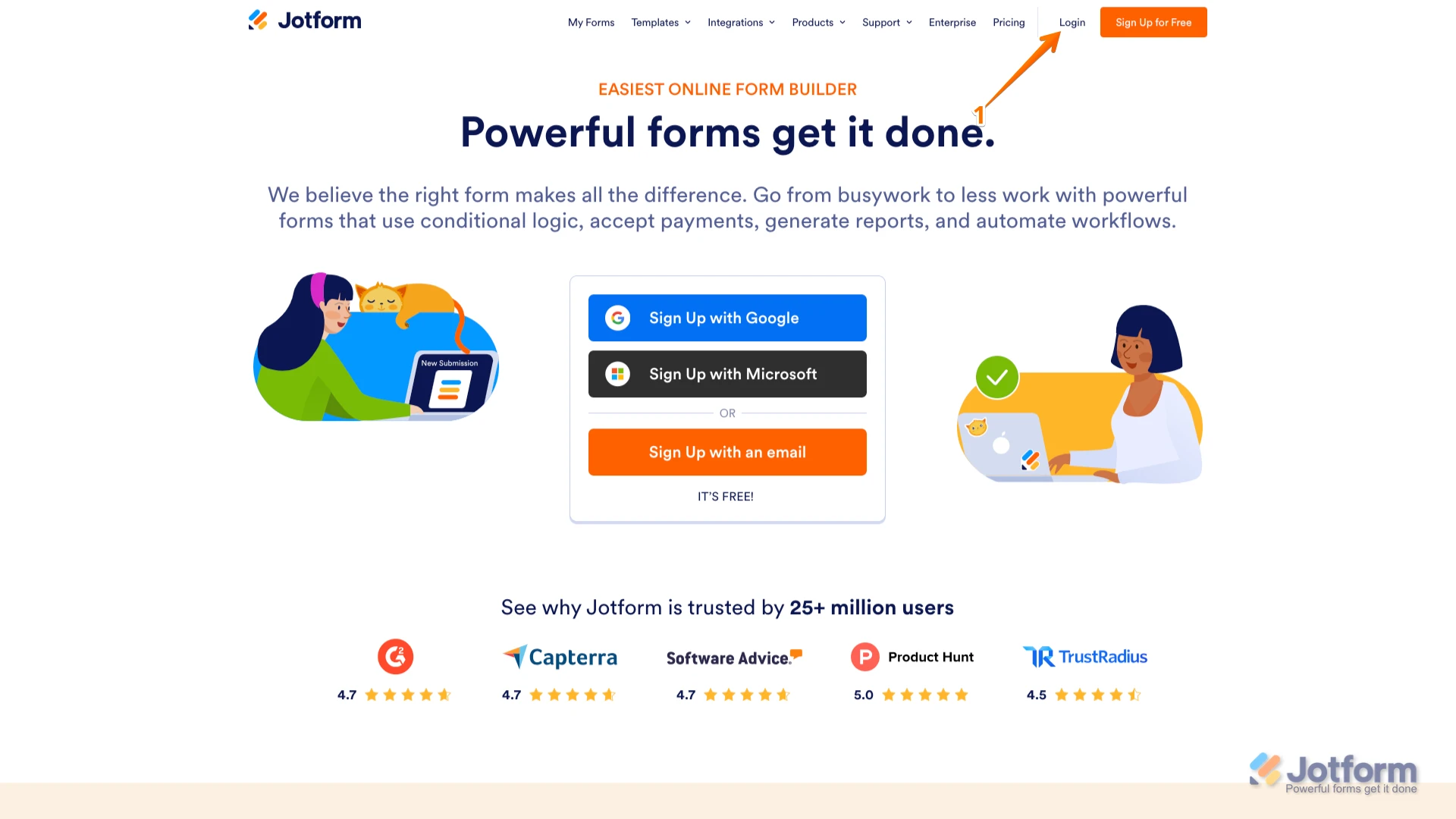
1. Go to the Jotform Main page and click on Login at the top-right corner of the page.

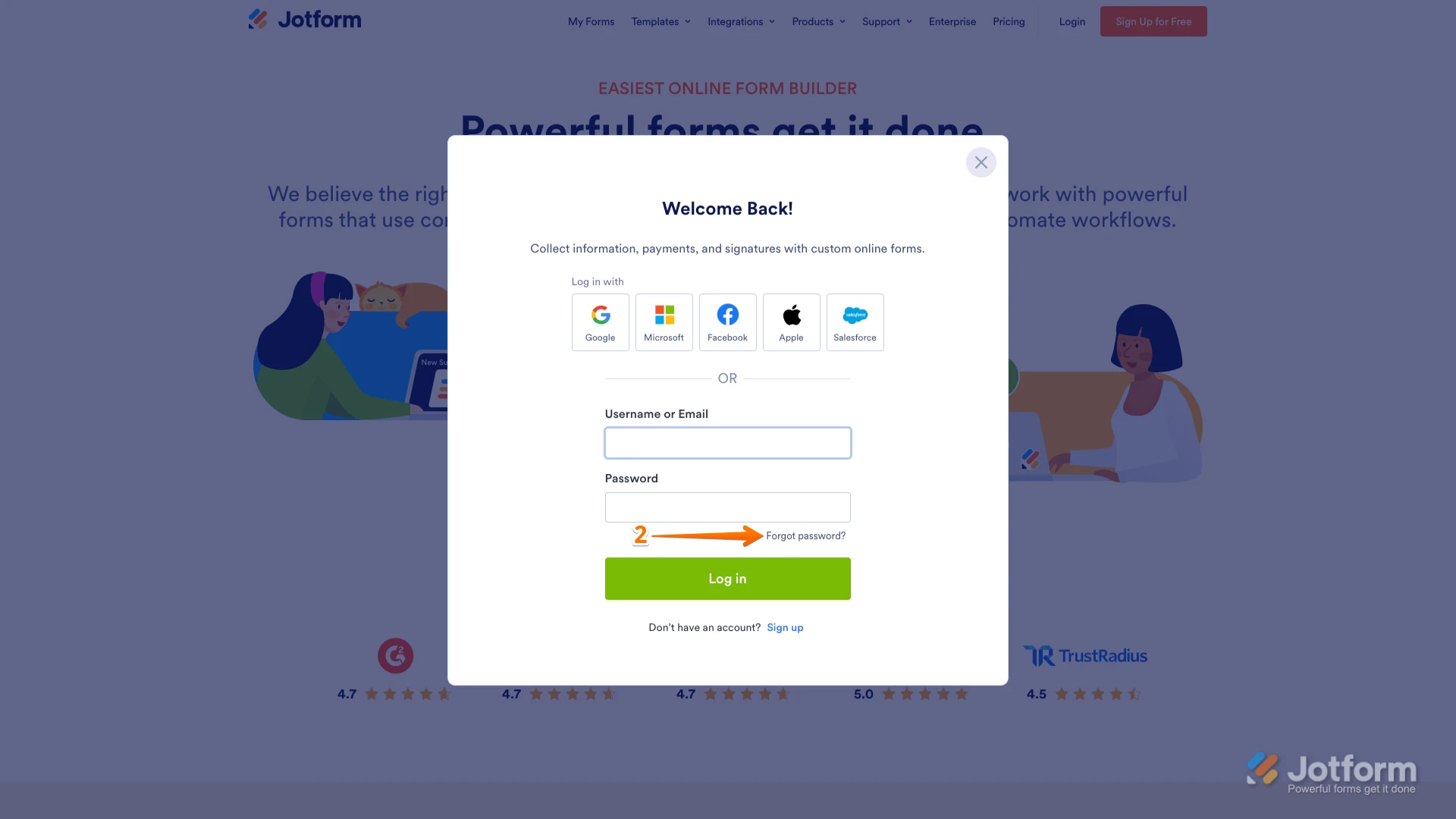
2. In the window that opens, click on Forgot Password?.
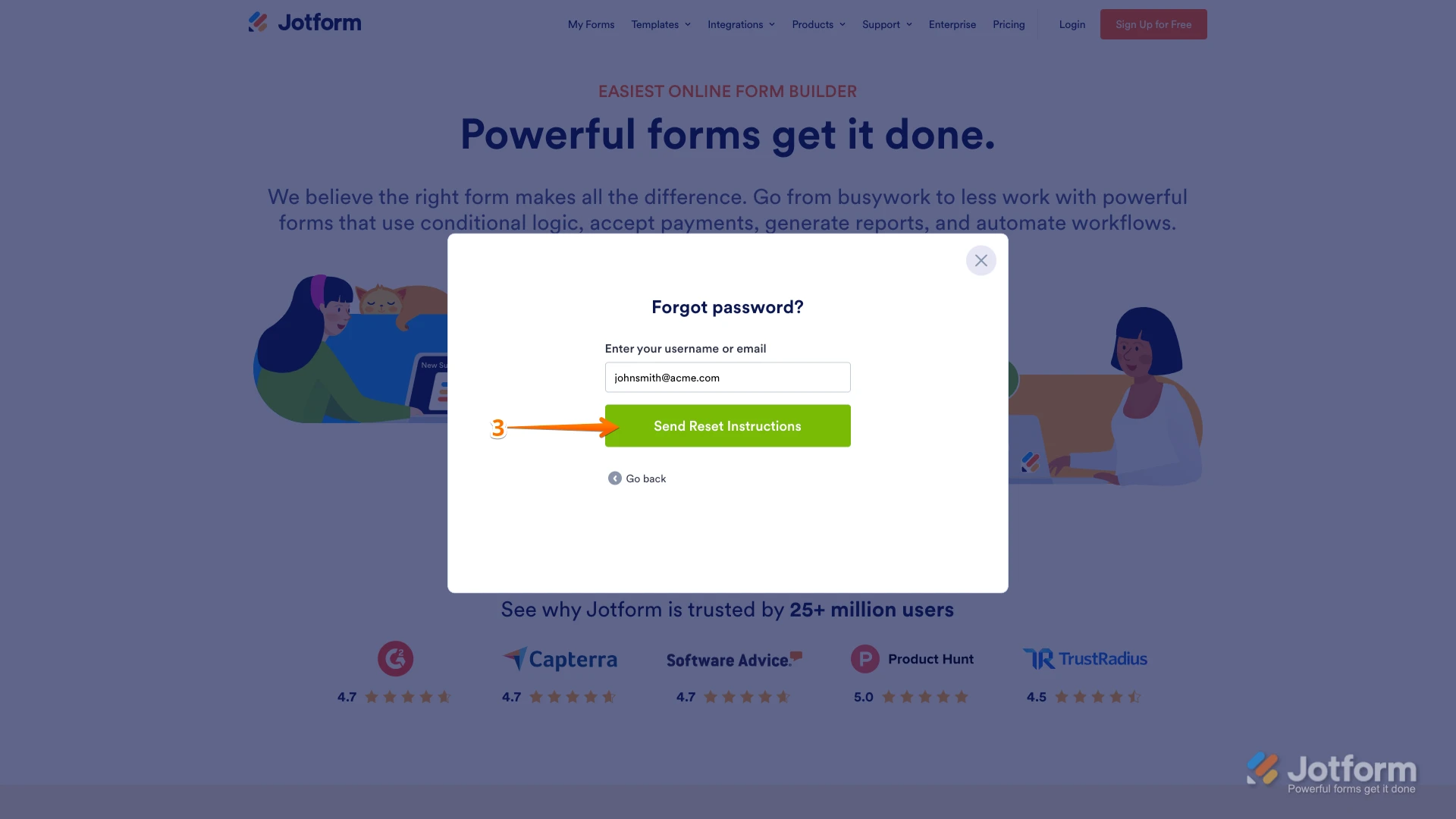
3. Enter your email address, and then click on Send Reset Instructions.
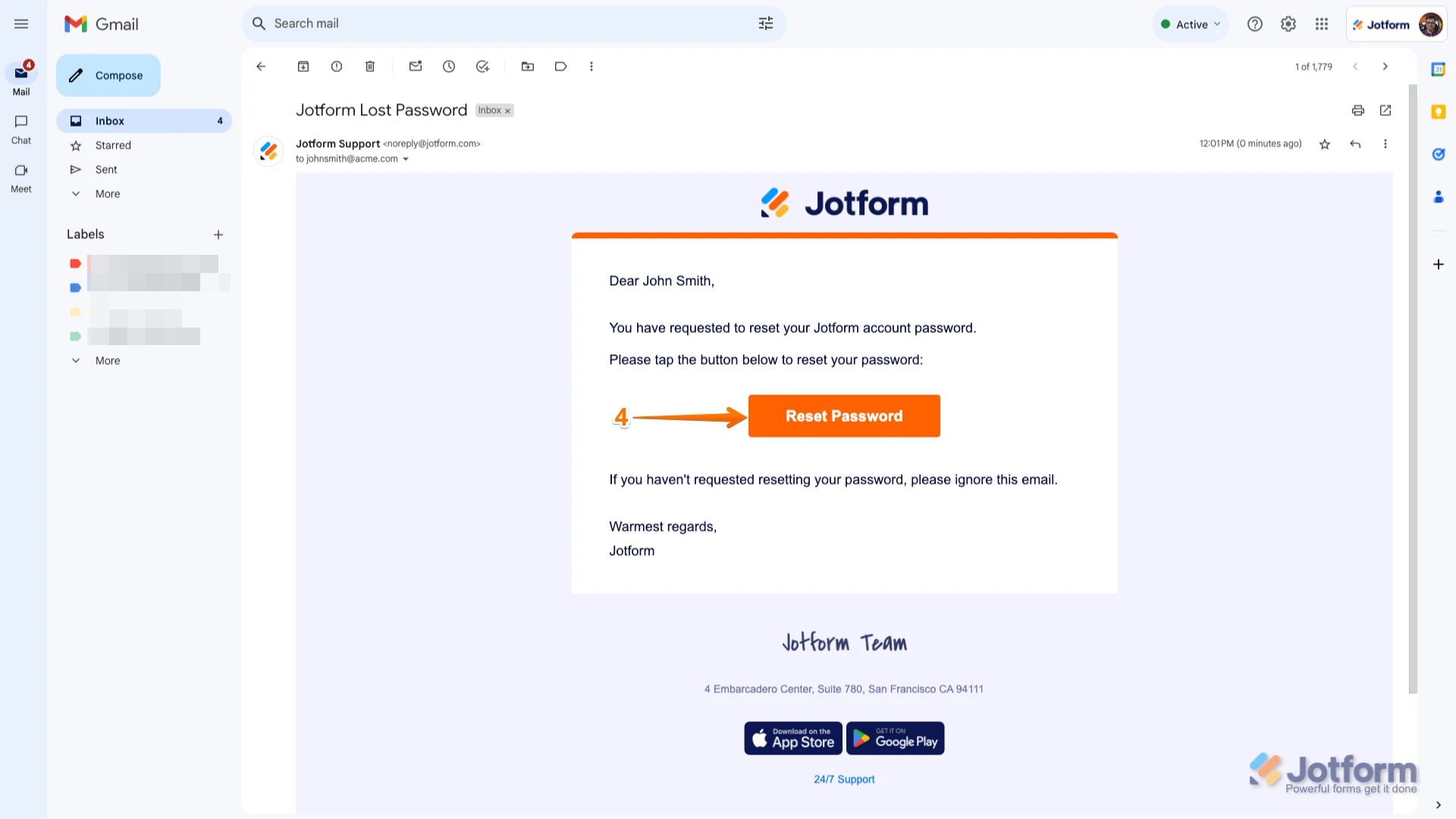
4. You'll receive an email with instructions on how to reset your password. Open the email and click on the Reset Password button.
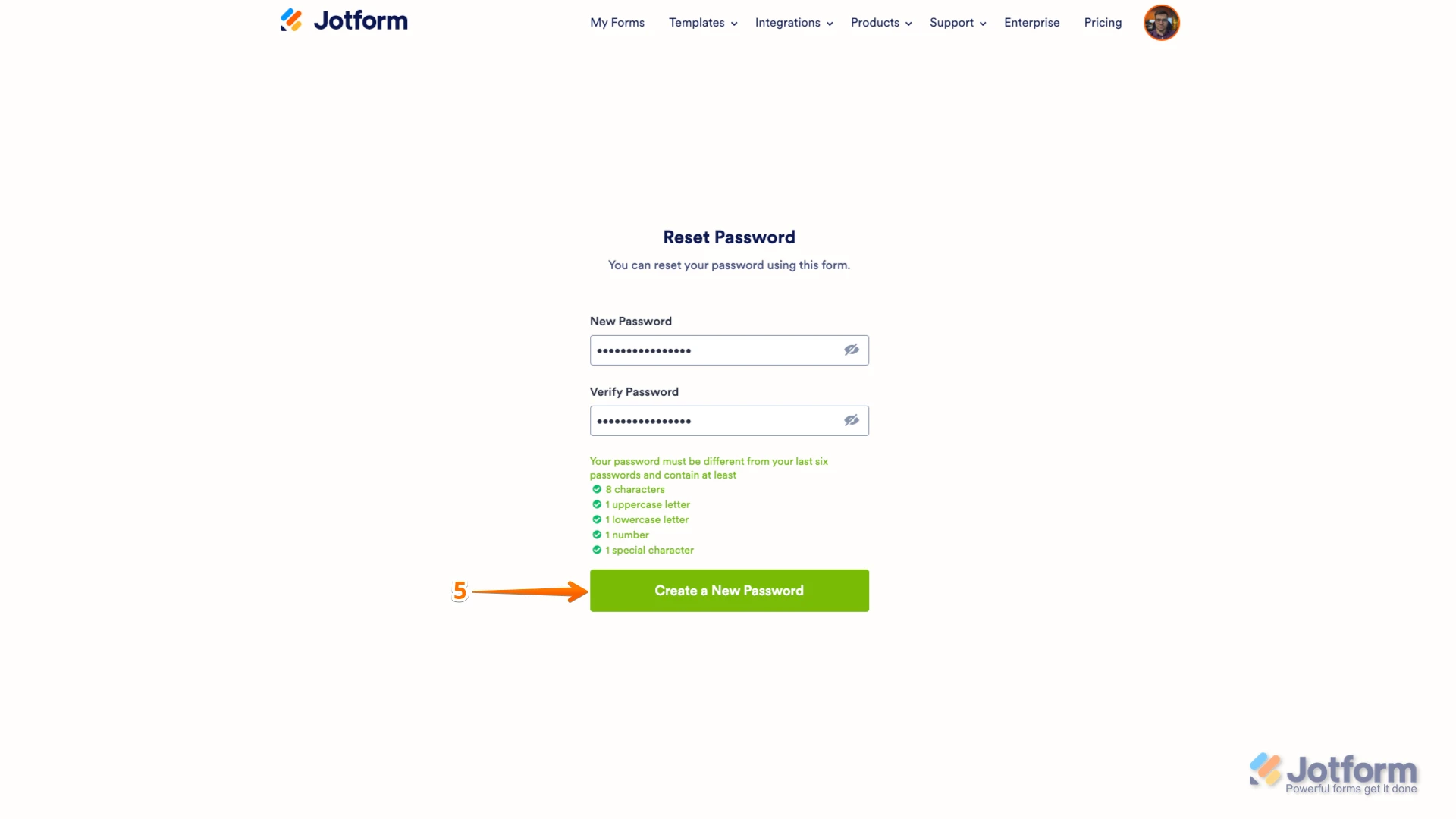
5. Enter your new password, enter it again to verify it, and then click on Create a New Password.
There you go. Your new password is now set, and you can use it to log into your Jotform account. You can also check out our guide on How to Reset Your Jotform Password for more info.Reach out again if you need any other help.