-
BBoats
Please remove the suspension on my account. I need it for my wedding guests.
-
 Rica Support Team Lead
Hi Rishaa,
Thanks for reaching out to Jotform Support. The email address you used to contact us isn't associated with a Jotform account. I found an active Starter account under your name using your IP address, and it has one active form titled Wedding Details. Are you referring to this form? If so, the form is associated with the email address R***a**a*@g**il.c*m. If the email address looks familiar to you, you can try logging in using your password.
If the password doesn't work or you've forgotten it and you still have access to the email address, you can reset your password. Resetting your Jotform account password is easy to do, either using our YouTube Video, or following along with me right here:
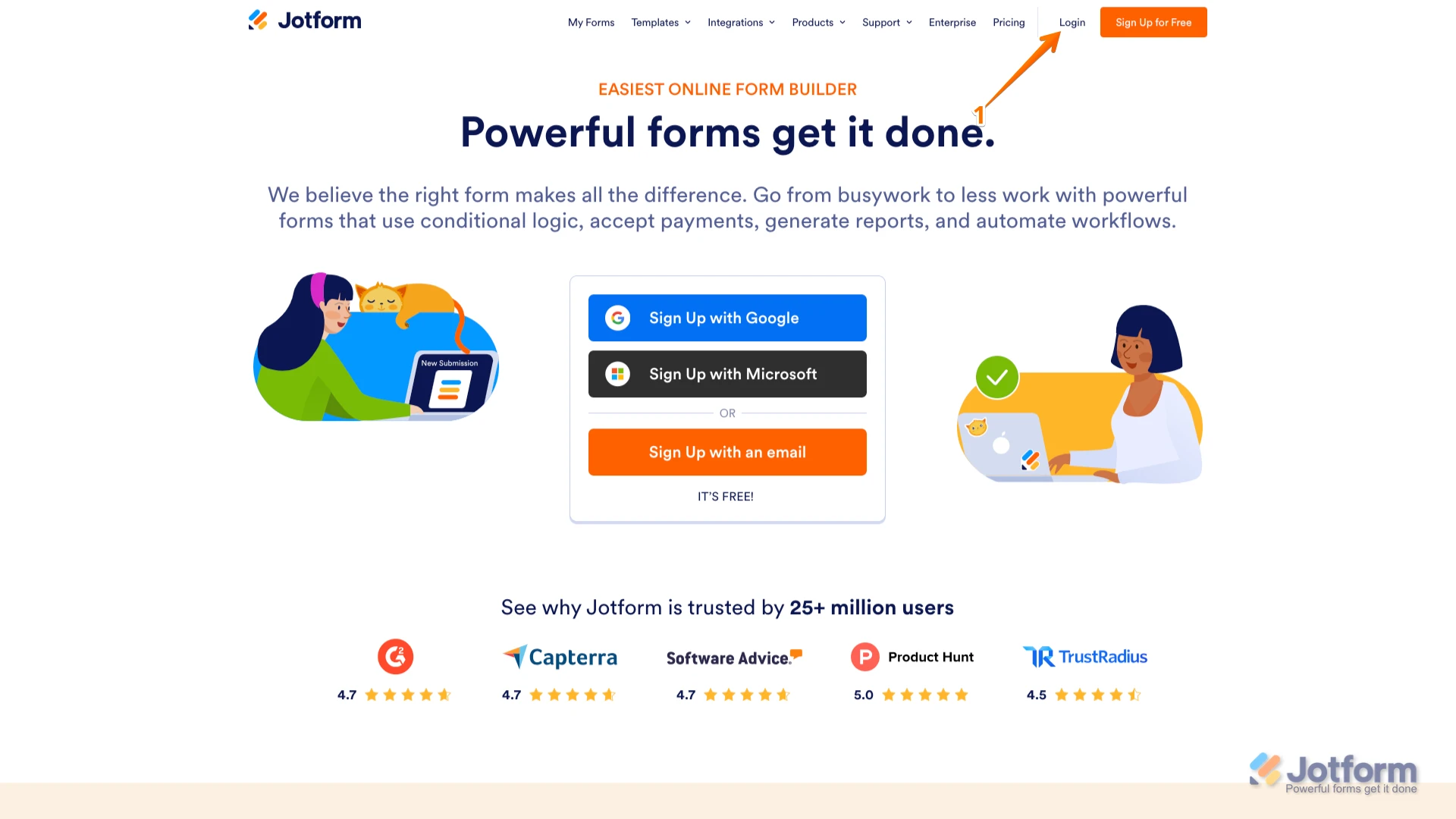
1. Go to the Jotform Main page and click on Login at the top-right corner of the page.

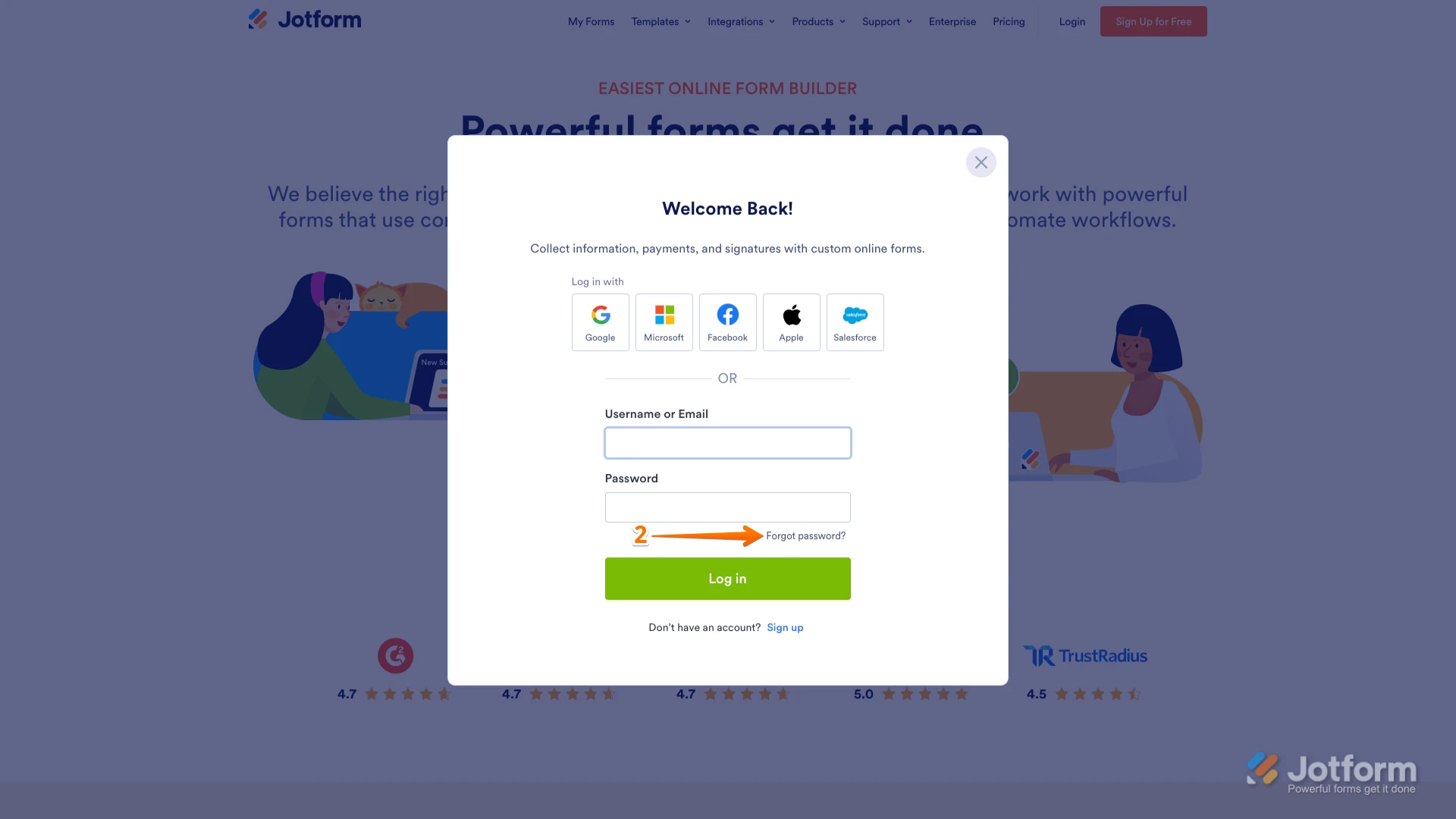
2. In the window that opens, click on Forgot Password?.
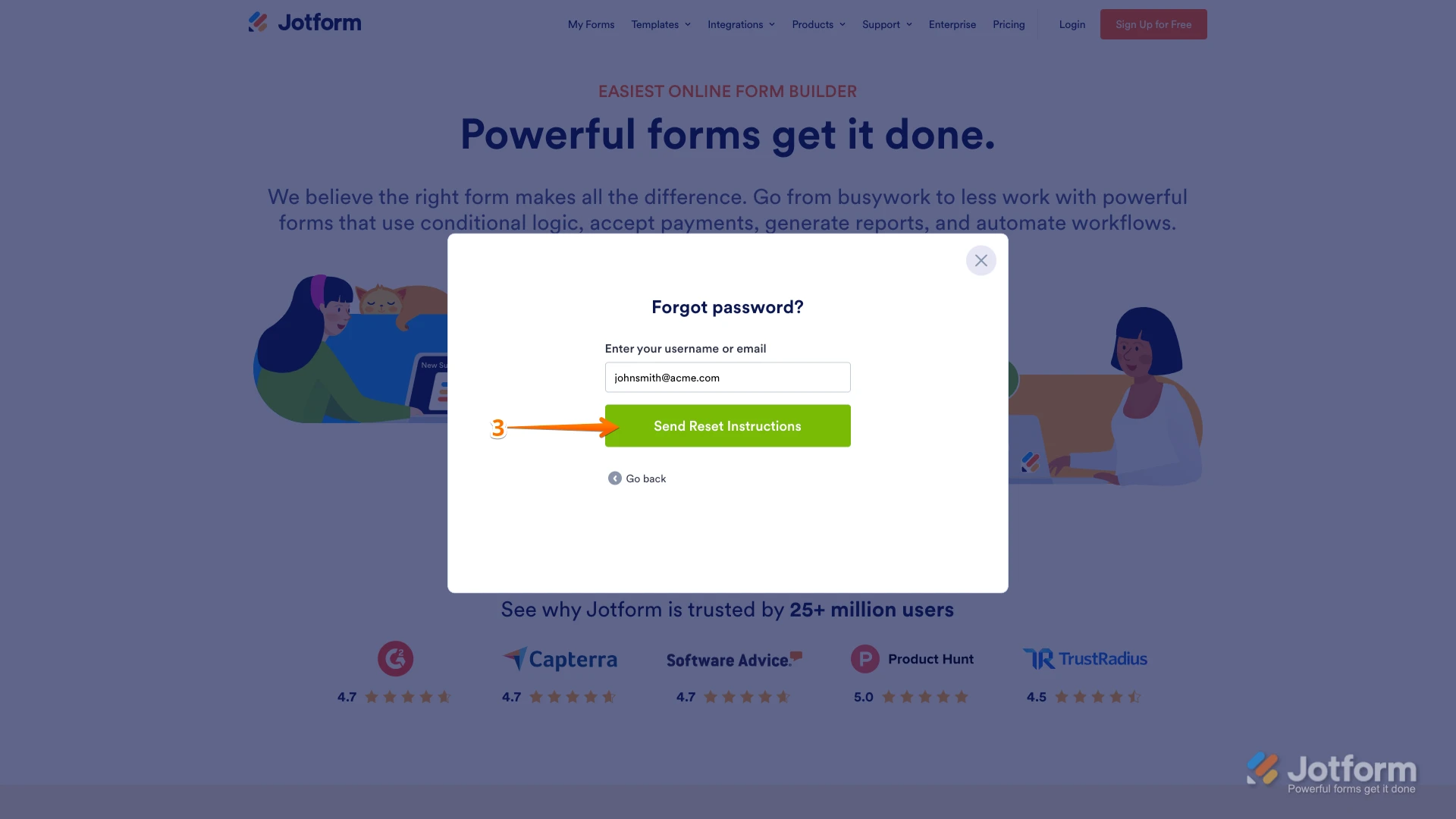
3. Enter your email address, and then click on Send Reset Instructions.
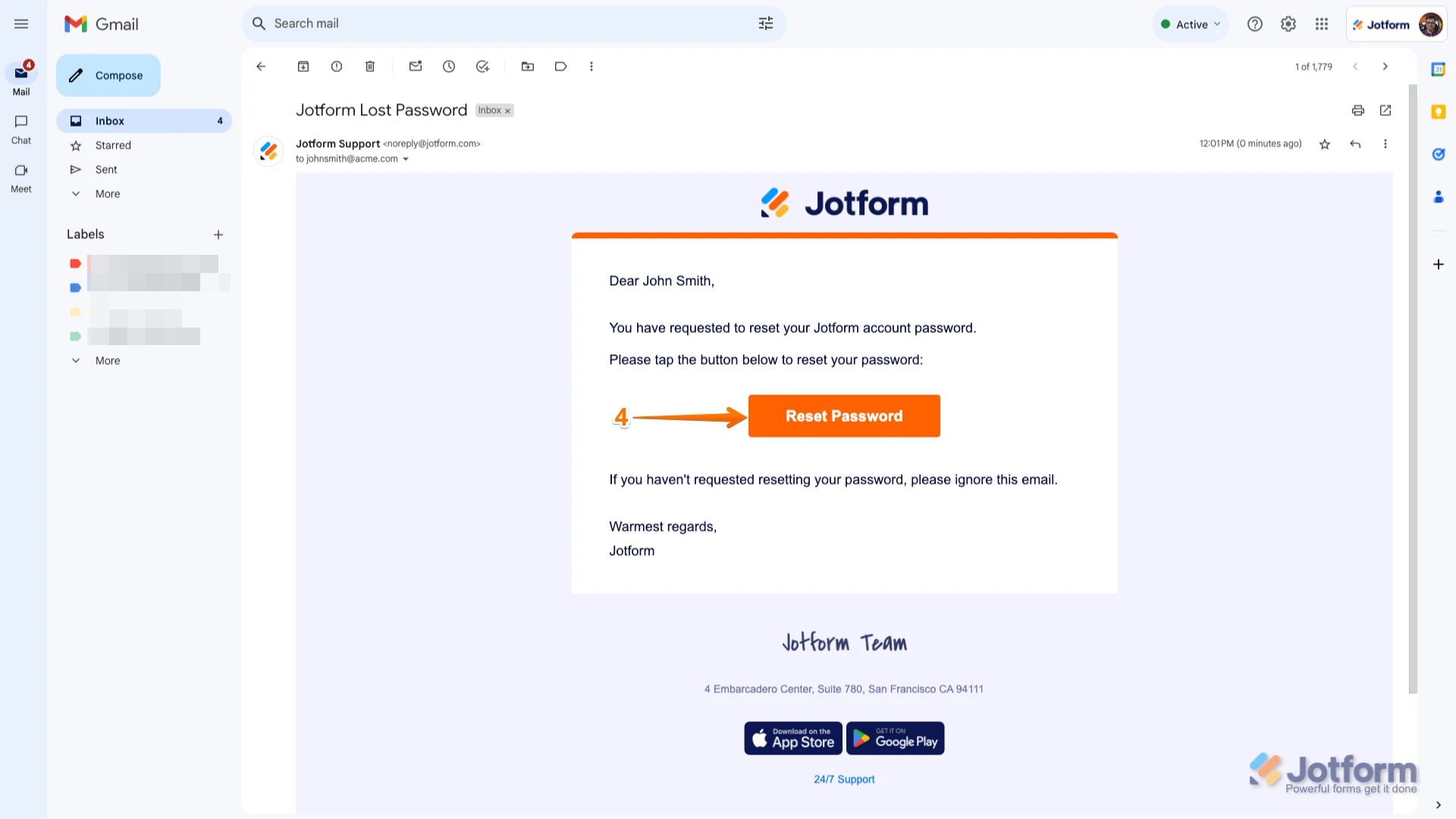
4. You'll receive an email with instructions on how to reset your password. Open the email and click on the Reset Password button.
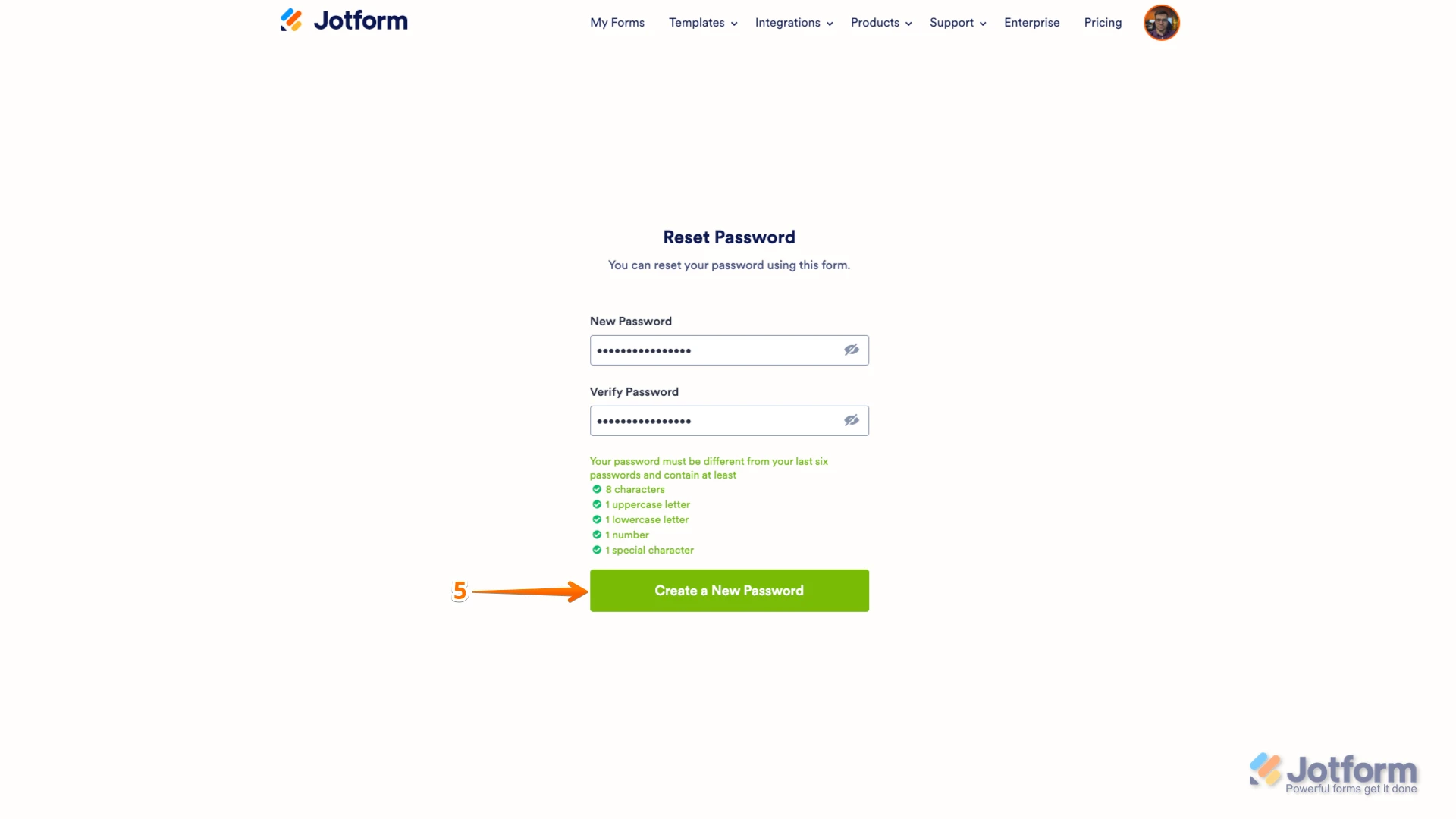
5. Enter your new password, enter it again to verify it, and then click on Create a New Password.
There you go. Your new password is now set, and you can use it to log into your Jotform account. You can also check out our guide on How to Reset Your Jotform Password for more info.If you're referring to a different account, can you share the email address associated with it or a link to any form created on that account?
Reach out again if you need any other help.
-
 alextaylorone
It looks like the first thing to check is whether you're signing in with the same email address that owns the “Wedding Details” form. Jotform Support found an active Starter account associated with a different email, so this may be a login/account mismatch rather than an actual suspension.
If you recognize the partially masked email they provided, try logging in with that address. If you still can't access it, use Forgot Password and reset the password through that email. If it's a different account, give Support the email associated with that account or the URL of one of its forms so they can locate it.
Your Reply
Something Went Wrong
An error occurred while generating the AI response. Please try again!