-
BBaba Adama NIASS
I'VE FORGOT MY PASSWORD
-
 Girish Enterprise Support
Hi Baba Adama NIASS,
Thanks for contacting Jotform Support. Resetting your Jotform account password is easy to do, either using our YouTube Video, or following along with me right here:
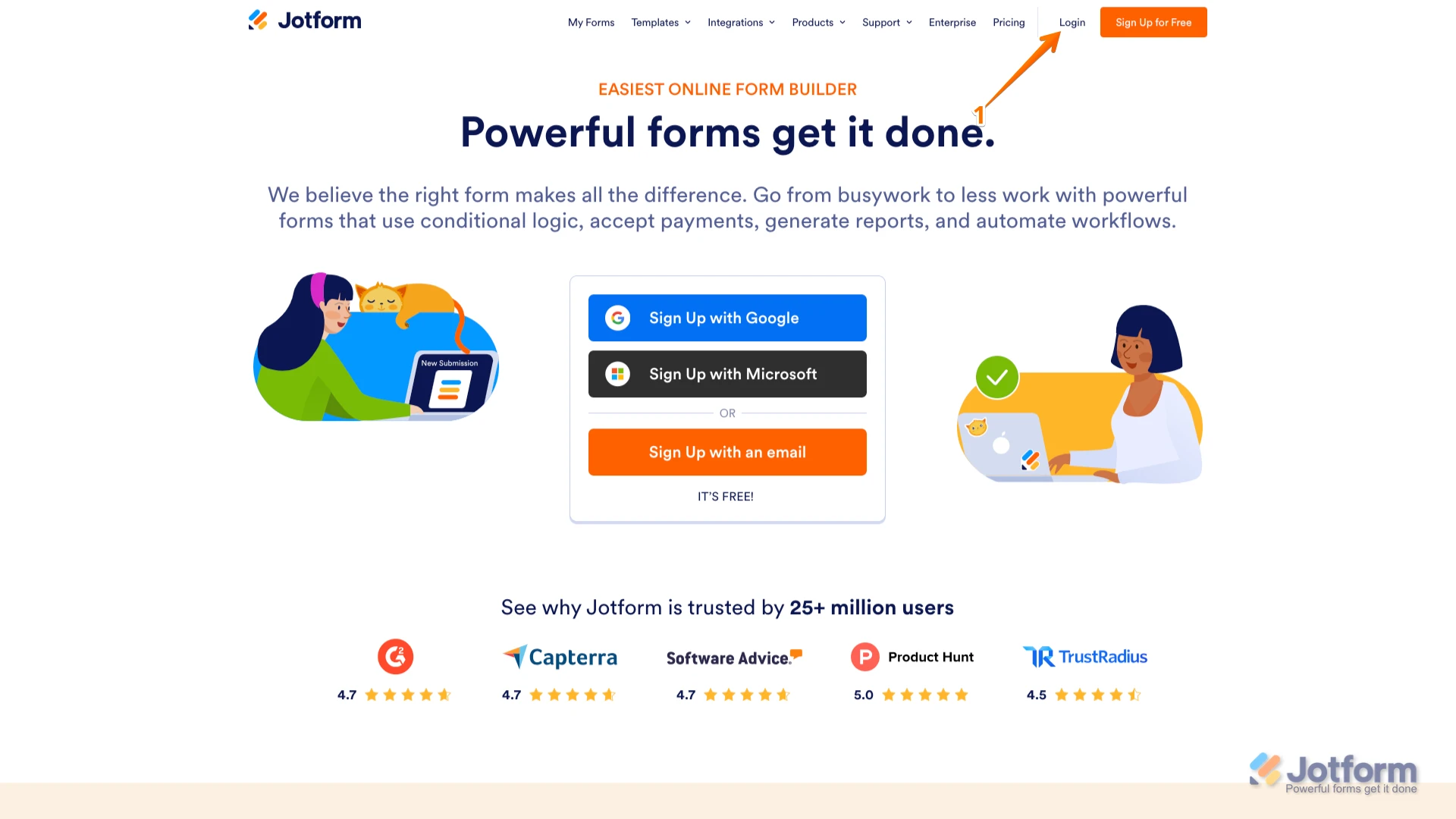
1. Go to the Jotform Main page and click on Login at the top-right corner of the page.

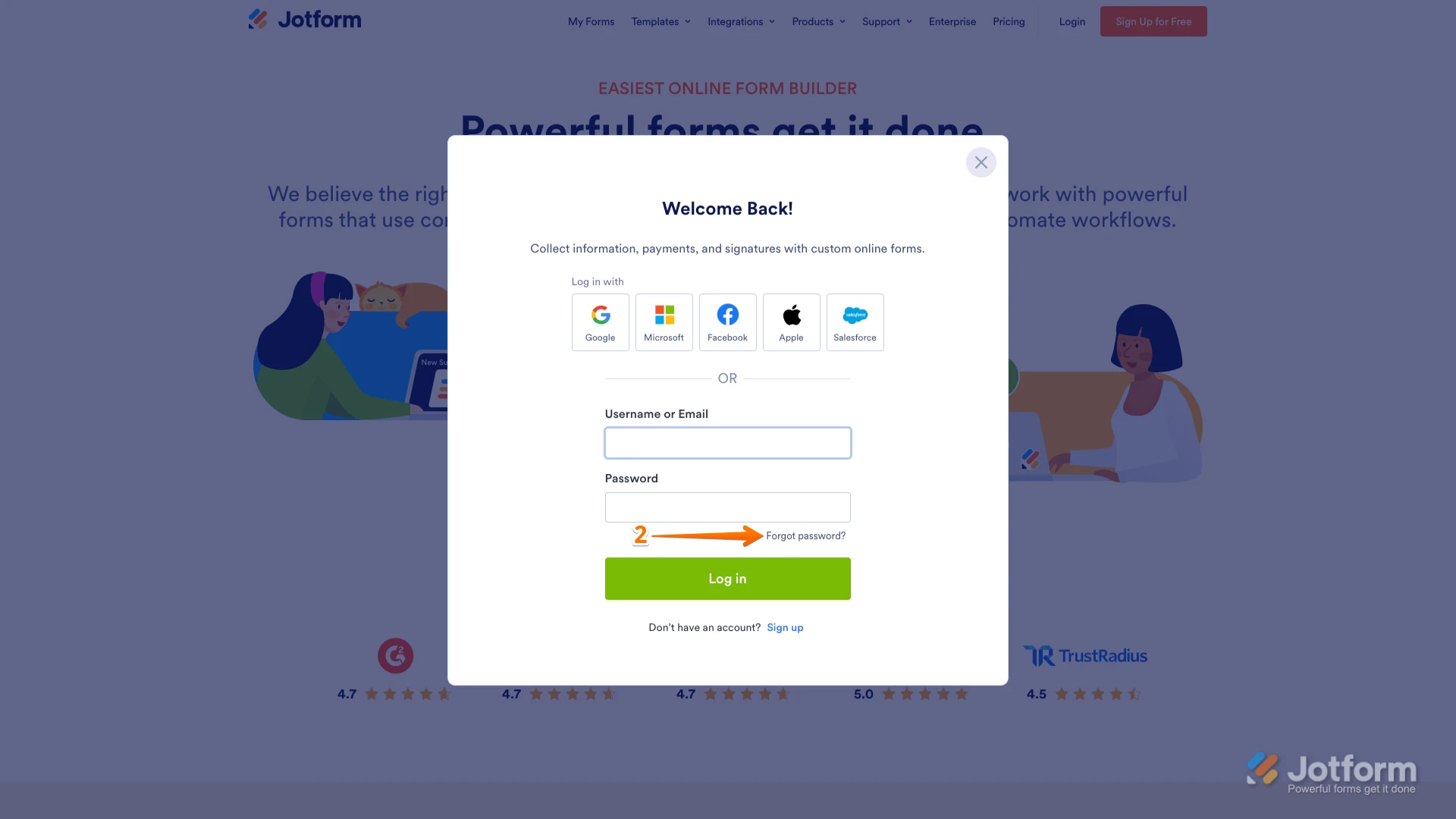
2. In the window that opens, click on Forgot Password?.
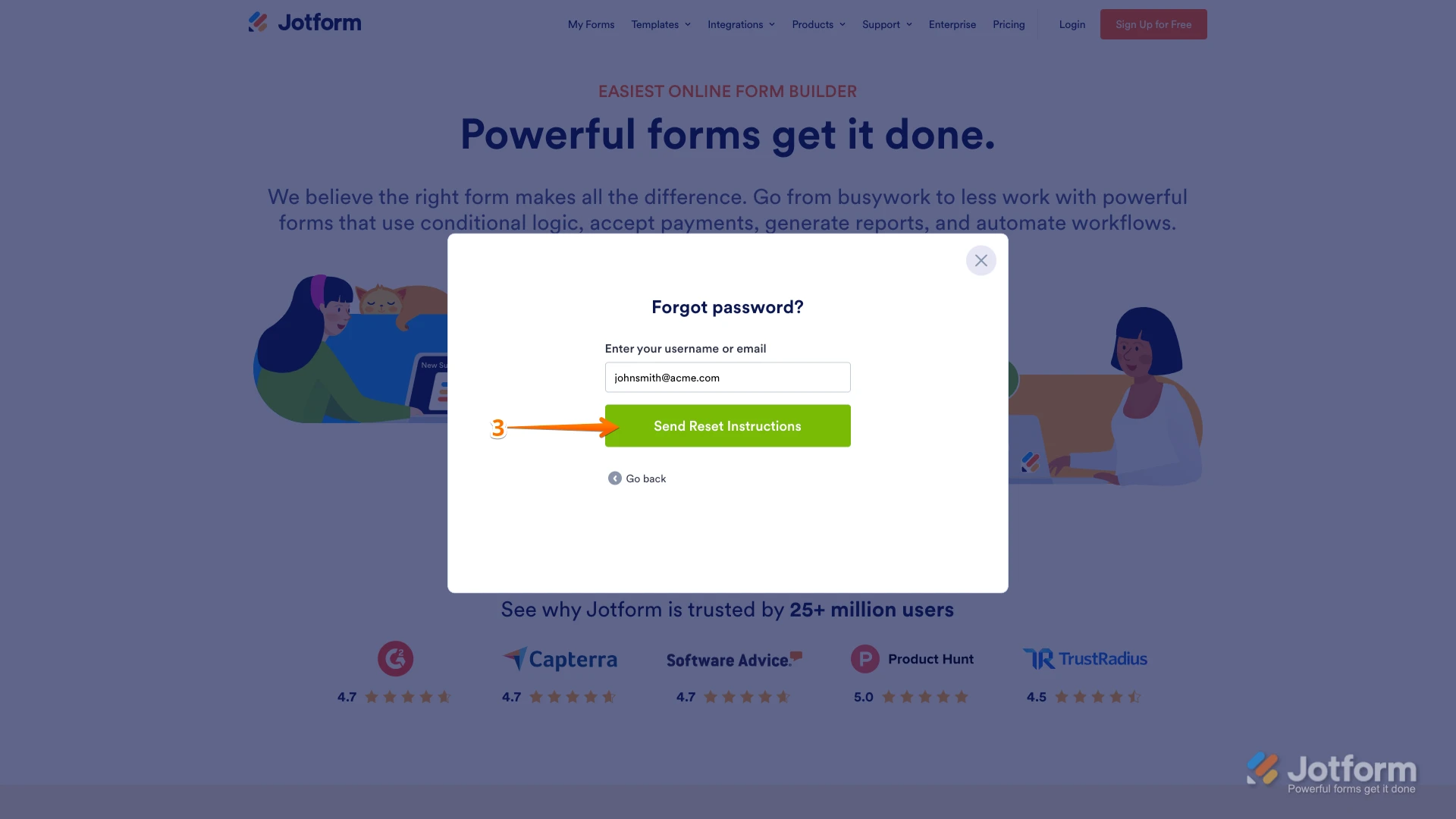
3. Enter your email address, and then click on Send Reset Instructions.
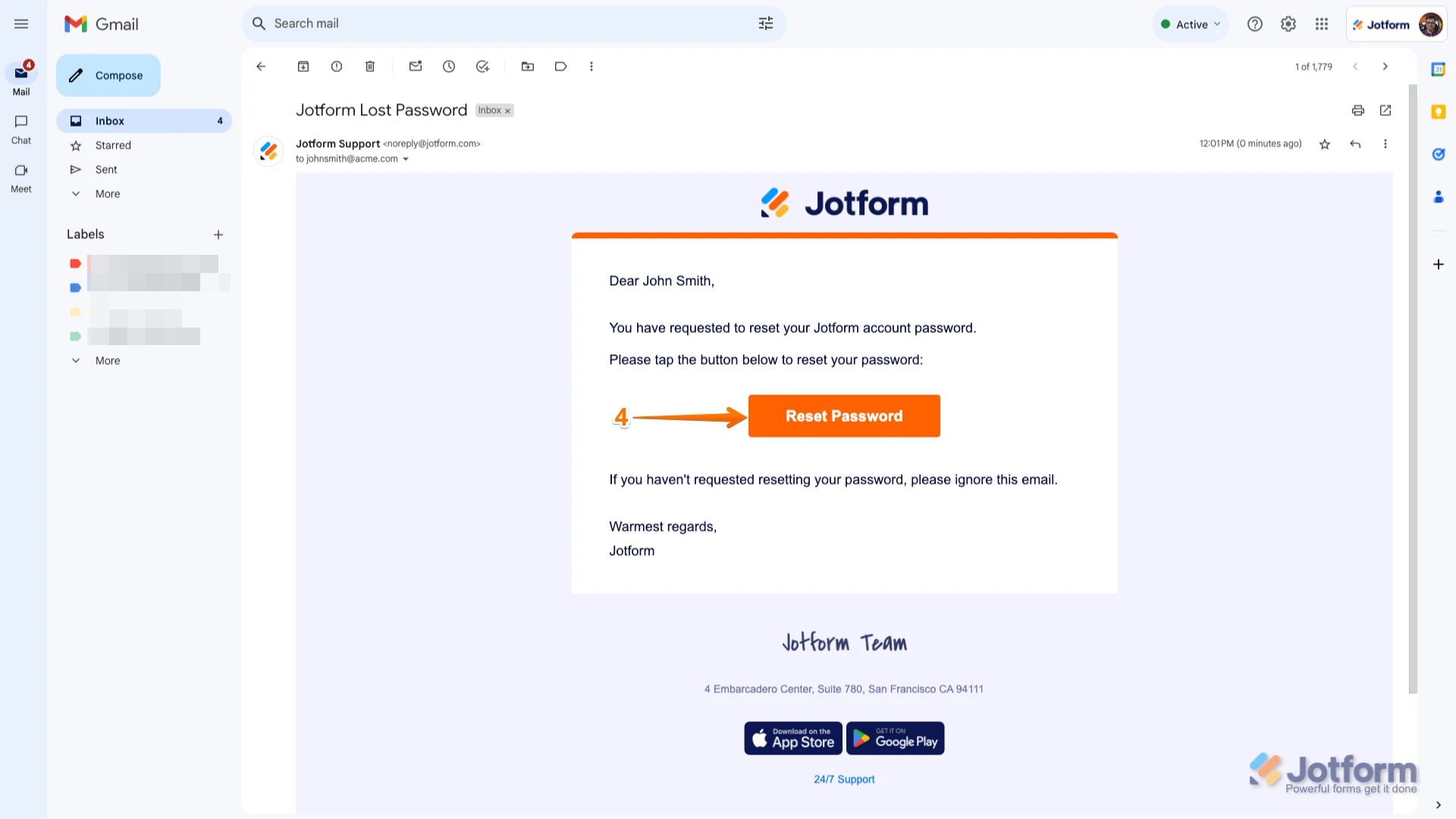
4. You'll receive an email with instructions on how to reset your password. Open the email and click on the Reset Password button.
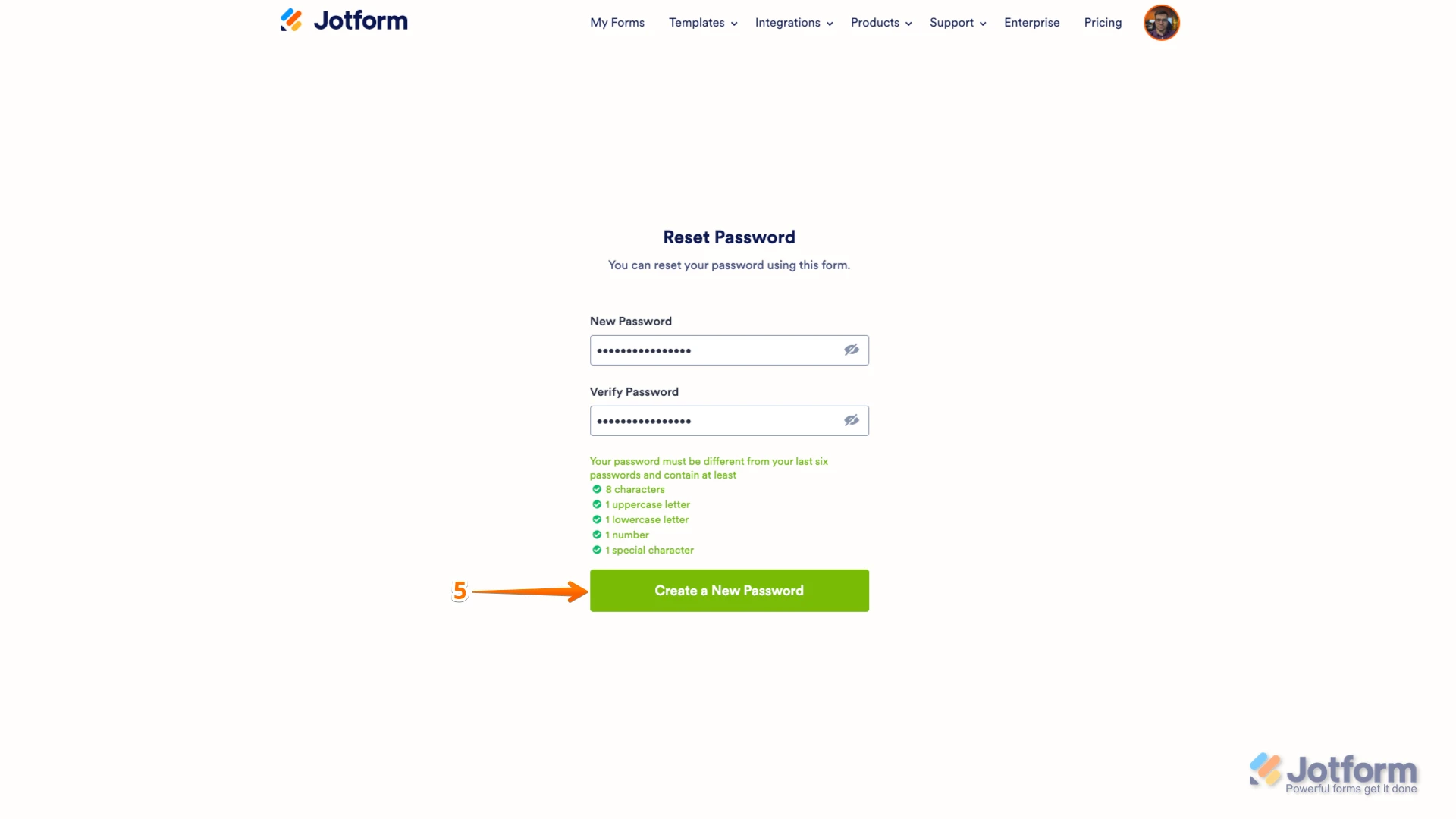
5. Enter your new password, enter it again to verify it, and then click on Create a New Password.
There you go. Your new password is now set, and you can use it to log into your Jotform account. You can also check out our guide on How to Reset Your Jotform Password for more info.Reach out again if you need any other help.
Your Reply
Something Went Wrong
An error occurred while generating the AI response. Please try again!