Anonymous Feedback App gives people a safe, simple way to share honest input without attaching their name to it. Use it for employee suggestions, student feedback, customer experience notes, event comments, or community concerns when participation drops due to fear of being identified. The app supports quick feedback submission, topic-based browsing to guide what people comment on, and an insights view that helps teams spot patterns and prioritize next steps.
With Jotform, you can publish this app template using a no-code app builder and tailor it to your organization in minutes. Use the drag-and-drop interface to update pages, adjust navigation cards, and match your branding, then connect the feedback form to your workflow for organized data collection and follow-up. Share the app through a link or QR code so anyone can access self-service feedback on desktop or mobile.
Related templates
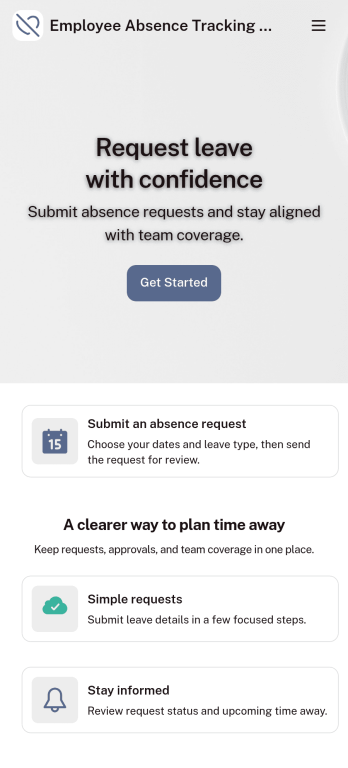
Customizable Employee Absence Tracking App
This Employee Absence Tracking App helps employees request time off and helps HR, managers, and employers track absences from any device. It includes submission tracking, with Admin-only access to view and manage requests and keep information organized and relevant based on the type of leave. All submissions are automatically available in Jotform Tables where admins can review them as a spreadsheet, calendar, or cards for faster follow-up and reporting.The app can be customized with multiple request forms for different leave types, a personalized splash screen or icon, and guidance text to support employees while submitting requests. With Jotform’s Role-based feature, you can control access so tutors, admins, and other users see only the parts of the app relevant to them. For privacy and compliance, sick leave request forms require employee login, ensuring only authenticated users can submit sensitive absence information. Save time and simplify leave management with a secure, streamlined way to handle employee absences.
Go to Category:Company Portal Apps
Work Schedule App
A work schedule app is used by employees for logging work shifts and completed tasks. With this Work Schedule App, employees can log their shifts by filling out a form with their name, scheduled hours, and hourly wage. A separate task tracking form allows employees to log individual tasks they’ve completed throughout the week. Submissions are stored in two easy-to-read spreadsheets in your Jotform account, which you can sort, filter, and search from any smartphone, tablet, or computer.Want to customize this app template to match your company’s branding? No problem — just use our drag-and-drop builder to add or change form elements, choose fonts and colors, change your app icon or splash screen, and more. Once you’re finished, share your app by sending email invites to employees, or by embedding a link in your company’s HR portal. Employees will be able to access and download your app on any device, making it easy to log shifts and tasks from anywhere. Streamline employee scheduling with this Work Schedule App from Jotform.
Go to Category:Human Resources Apps
Job Application App
A job application app is used by HR teams to post open positions for the company and collect applications from any device. No matter what roles you’re hiring for, find top candidates fast with our free Job Application App. This ready-to-use app includes separate job application forms for various manager positions as well as internship opportunities. You’ll receive submissions instantly, ready to view and share in your Jotform account.Customize this Job Application App Template in just a few clicks. No coding required — simply drag and drop to create and add new job application forms, update the provided text, upload a different background image, and even include your company branding. When you’re ready to share it, embed the link in your company careers page so prospective employees can download the app onto their smartphone, tablet, or computer. Make the application process easier for applicants and your HR team with a fully-custom Job Application App for your company.
Go to Category:HR Portal Apps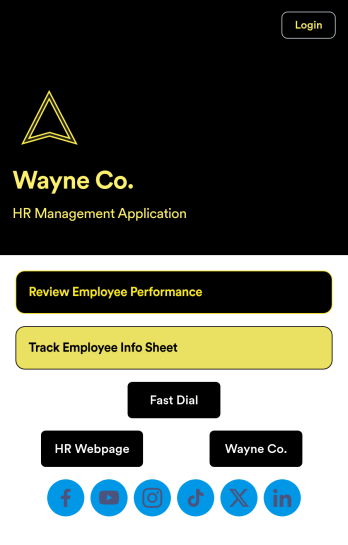
Employee Review App
An employee review app is used by HR professionals or managers to monitor the performance of employees in a company. With this free app that downloads onto any smartphone, tablet, or computer, employee reviews are a breeze! Just share the app with the members of your company who conduct employee reviews or track employee information for a paper-free solution.Without coding, you can personalize this Employee Review App by changing the icon or splash screen, creating and including other online forms, and adding any other information or spreadsheets you may need. All data is kept safe and secure with Jotform’s advanced security measures, and easy to access when you need it in a Human Resources Table. Perform employee reviews more efficiently with a free Employee Review App.
Go to Category:Company Portal Apps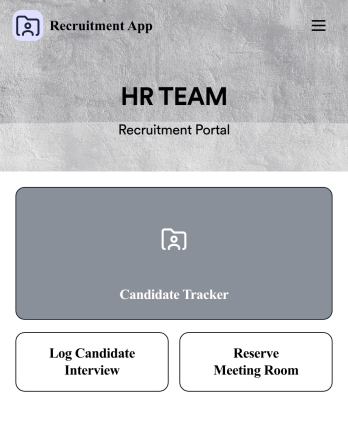
Recruitment App
A recruitment app streamlines the hiring process for HR teams on any device. No matter what roles your team is hiring for, get started with an all-in-one Recruitment App powered by Jotform! This free, ready-to-use app template works hand-in-hand with a Job Application Form and stores submissions in a Candidate Tracker. You and your recruiting team will also be able to schedule and log interviews through the app. All form responses will be securely stored in your Jotform account in a spreadsheet, calendar, or as easy-to-read cards.Customize this app template to match your branding and meet your HR needs. No coding necessary — simply drag and drop to add forms, links, documents, buttons, images, and much more. You can also change the app icon, name, and splash screen to match your branding. When it’s ready to use, share the app link with members of your recruiting team or send email invites. Your Recruitment App can be downloaded onto any smartphone, tablet, laptop, or desktop computer for easy access to your HR team’s tools and resources.
Go to Category:Company Portal Apps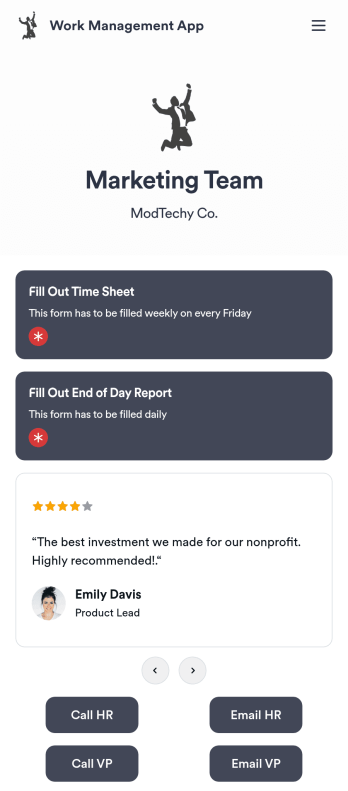
Work Management App
A work management app is used by team managers to assign tasks to others, track employee information, and fill out timesheets and end-of-day reports. Whether you work in marketing, sales, or another department, use this fully-customizable Work Management App to expertly track your team’s work from your computer, smartphone, or other mobile device. Tasks submitted through your Employee Task Assignment Form will be sent straight to your Employee Task List Table, and submissions through your Time Sheet Log Form and Employee Information Form will automatically populate your Employee Timesheet Table — no manual data entry required!Need to make changes like adding more forms, including your logo, or changing fonts and colors? Do it quickly with our drag-and-drop builder, with no coding knowledge needed. Once you’re done, share the app with a link to be saved onto any device, and start securely managing work information in your Jotform account. Get organized with a streamlined Work Management App for your team.
Go to Category:Human Resources Apps