Homework Tracker App helps students keep schoolwork organized by bringing assignments, work submission, and progress tracking into one place. Use it to view upcoming tasks, add new assignments quickly, mark items as high priority, and keep personal submission notes so nothing gets missed. It’s a practical fit for middle school, high school, college, tutoring programs, and homeschool routines where learners need a clear view of what’s due and what’s already been turned in.
Built with Jotform, this app template combines self-service navigation with simple data collection through connected forms, so updates don’t depend on scattered messages or separate spreadsheets. Customize pages and buttons to match your subjects or class schedule, then share the app link with students or families for easy access on any device. With Jotform’s no-code app builder and drag-and-drop interface, you can adjust the layout, refine your workflow, and keep assignment records and submissions organized over time.
Related templates
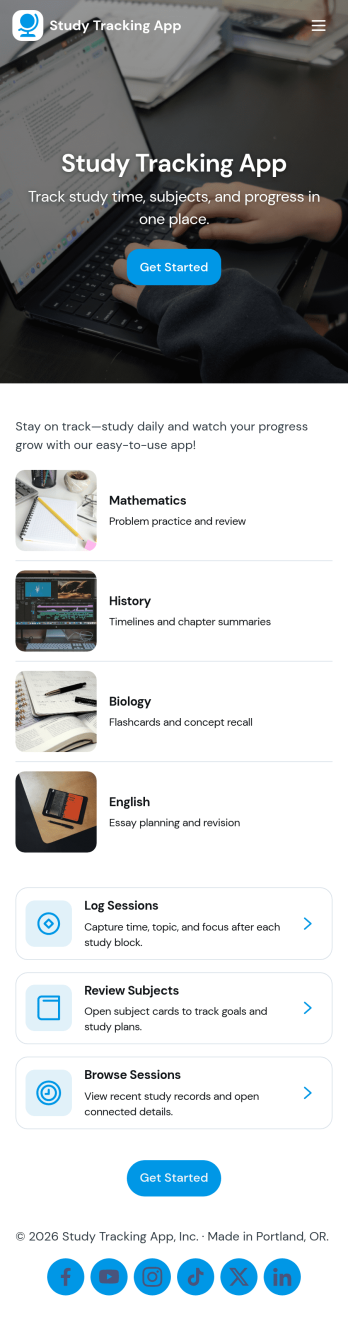
Study Tracking App
Study Tracking App helps students and lifelong learners stay on top of weekly goals, study plans, and session habits in one place. Use it to map out what you want to study this week, record each study session as it happens, and keep a simple view of progress and reviews so nothing slips through the cracks. It’s a great fit for high school and college students, exam prep groups, tutors supporting multiple learners, and anyone building a consistent routine across subjects.With Jotform, you can turn this study workflow into a shareable, mobile-friendly experience without coding. Start with this app template, then adjust pages, buttons, and navigation using a drag-and-drop interface, connect forms for data collection like adding a study plan and logging sessions, and keep everything organized as your workflow evolves. Whether you’re studying solo or coordinating with a tutor or small team, Jotform makes self-service tracking easy to launch and simple to maintain.
Go to Category:Education Apps
Camp Registration App
Camp Registration App is a ready to use app template designed to provide a systematic and efficient solution for camp organizers, youth program directors, schools, and community organizations seeking to streamline their camp registration process. The app takes the heavy lifting out of data collection, allowing administrators to effortlessly capture essential details such as participant information, schedule preferences, and electronic signatures. With this app, you can ensure a complete, coherent and organized tracking of participants, schedules, and related administrative processes - a clear upgrade from traditional, ad-hoc methods, which can often be inconsistent and time-consuming. The Camp Registration App is best suited for those who handle large amounts of participant registrations, particularly camp organizers and youth program directors who value clarity and consistency in their administrative workflows.Jotform's Camp Registration App emphasizes ease of use and customization, allowing you to tailor the app to your specific needs without requiring any coding skills. The intuitive drag-and-drop interface makes it simple to modify forms, add new sections or adjust the layout to perfectly fit your operational workflow. Furthermore, the app can effortlessly gather e-signatures, making it an invaluable asset in collecting consent and other necessary documents. The app also provides a centralized location to store all participant data, schedules, and reports, offering an efficient way to manage and organize your camp operations. With Jotform's Camp Registration App, you can effortlessly streamline your camp registration process, saving valuable time and resources.
Go to Category:Appointment & Booking Apps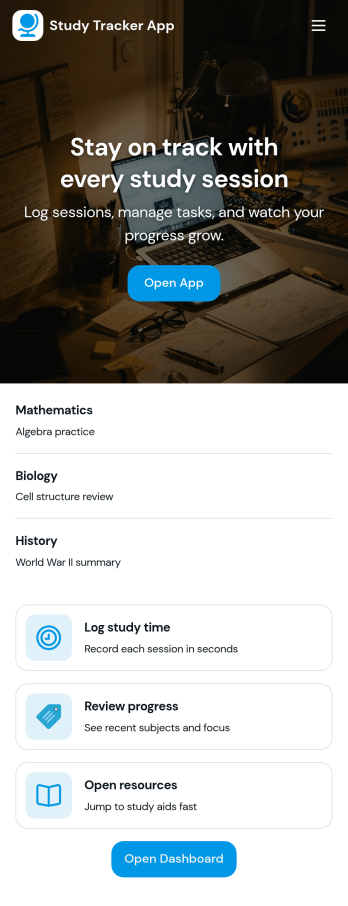
Study Tracker App
Study Tracker App helps students and lifelong learners build consistent study habits by logging study time, organizing sessions by subject, and keeping a clear view of progress over time. Use it to record each session with quick add buttons, revisit your top focus areas, and review what you covered across different topics. It’s a practical fit for high school and college students, exam takers, tutors, and study groups who want a simple way to track effort, spot patterns, and stay accountable without juggling multiple tools.Jotform makes it easy to turn this Study Tracker App into a personalized self-service experience using its no-code app builder and drag-and-drop interface. Connect your session logging form to your data collection workflow, present entries in clean lists and cards, and share the app with a link so it’s always available on any device. You can also tailor pages for progress review and study resources, helping you keep tracking and reference materials in one place with Jotform App Templates.
Go to Category:Education Apps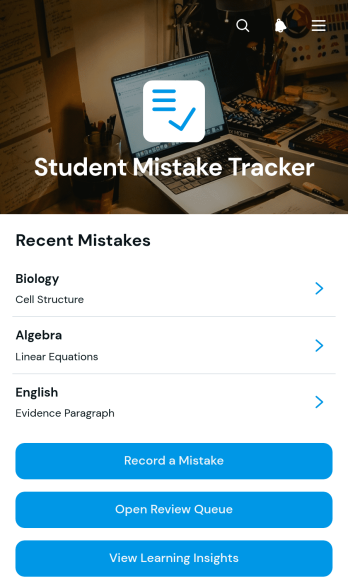
Student Mistake Tracker App
The Student Mistake Tracker App is an app template that helps students record academic errors, review corrections, and recognize learning patterns over time. It gives learners quick access to mistake recording, a review queue, and learning insights while keeping details organized by subject. Students can use it after homework, quizzes, practice tests, tutoring sessions, or independent study to turn incorrect answers into useful study material. Teachers, tutors, academic coaches, and families can also use the app to support reflection, plan targeted practice, and monitor whether previously identified concepts have been reviewed.With Jotform Apps, you can adapt this Student Mistake Tracker App without writing code. The no-code app builder and drag-and-drop interface make it easy to adjust pages, navigation, colors, typography, and content for a class, tutoring program, or personal study routine. Connect forms and tables to support data collection, organize each review workflow, and keep resources available through a mobile-friendly self-service experience. Jotform App Templates can be published and shared by direct link or QR code, helping learners maintain a consistent review habit wherever they study.
Go to Category:Student Planner Apps
Day Planner App
Want a simple way to track your or your clients’ goals? Well, look no further than this Day Planner App from Jotform — perfect for anyone looking to get their life together. Add daily or weekly check in forms, show open consulting appointments, upload payment forms, and more helpful features to make your app intuitive and easy to use.Making design changes to this Day Planner App is quick and easy. Simply drag and drop to switch up fonts and colors, upload personal or company branding, integrate with helpful payment or scheduling widgets, and much more. To share this handy app with others, all you’ll have to do is send a link, generate a QR code, or embed it straight into your own website or portal.
Go to Category:Daily Planner Apps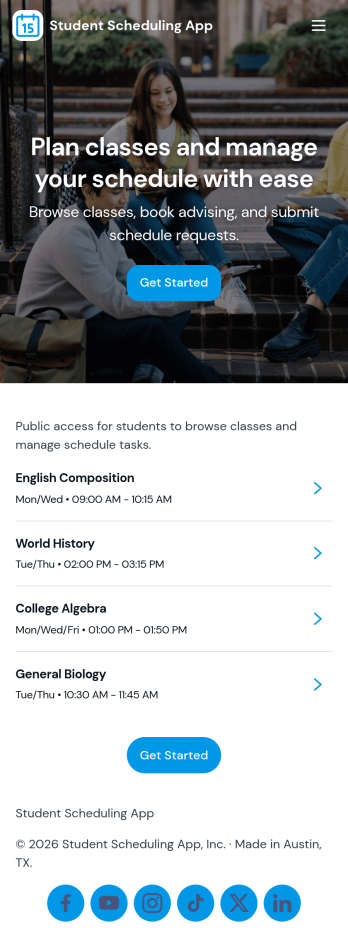
Student Scheduling App
A student scheduling app gives students and staff one place to request, book, and review academic support sessions without confusion about timing or availability. This template fits tutoring centers, advising offices, student success teams, and instructors who need a simple way to route session requests and keep daily plans visible. With quick access to book a session, view today’s schedule, and check my requests, it supports self-service scheduling while keeping requests organized for follow-up.Jotform makes it easy to publish this experience as a shareable app using a no-code app builder and a drag-and-drop interface. Connect the app to your Jotform form and linked data so students can send requests, staff can track updates in real time, and everyone can navigate schedules from any device. As your workflow changes, you can adjust pages, buttons, and lists in minutes, then share the updated app instantly with a link or QR code.
Go to Category:Scheduling Apps