Queue Management App helps organizations issue tickets, show live queue status, and communicate updates so visitors know what to expect while they wait. It works well for walk-in service desks, clinics, salons, repair counters, campus offices, and event help points that want a simple take-a-number experience. Guests can take a ticket from the app, view the current queue, and quickly jump back to their ticket when they need to check progress. Staff can post updates to keep people informed during delays, peak hours, or temporary closures without having to answer the same questions repeatedly.
With Jotform, you can customize this app template using a no-code app builder and a drag-and-drop interface, then connect it to your forms and workflows for reliable data collection. Share the app through a link or QR code at the entrance, keep ticket records organized, and adjust the layout and branding to match your location. As your operations evolve, you can expand pages, refine navigation, and keep the queue experience consistent for both customers and team members.
Related templates

Security Service App
Want a quick and efficient way for your clients to book your security services? With Jotform’s Security Service App, you can create an online security booking app in minutes. Make your app from scratch or choose one of our ready-made templates to get started. Add a contact form, list your security team’s availability, showcase past customer reviews, and more. Once you’ve customized your app to your liking, share with clients — downloadable onto any computer or iOS or Android device.Design your Security Service App to your liking with Jotform’s no-code app builder. Just drag and drop to change the look and feel of your app, add powerful app elements, install helpful app widgets, and integrate with one of our 25+ payment processors, including PayPal and Google & Apple Pay. Share your app via email or embed it directly into your website for easy client access and bookings. Create your own Security Service App today — free on Jotform.
Go to Category:Online Service Apps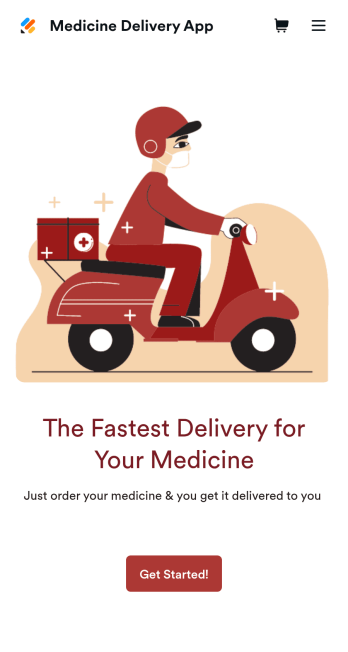
Medicine Delivery App
If your pharmacy offers medicine delivery services and is wondering how to sell medicine deliveries online, collect orders and payments from any device with Jotform’s free Medicine Delivery App. This customizable app includes a medicine order form as well as a feedback form that patients can fill out using any computer, tablet, or smartphone. Submitted orders will be received instantly, so you and your pharmaceutical staff can begin filling prescriptions without any delay.Customize this Medicine Delivery App for your pharmacy without coding. Simply drag and drop to add forms, tables, links, documents, text, images, logos, and other app elements. Then share your app with patients by sending them email invites to download it onto their own devices, or by posting the app link on your website. With a fully-custom Medicine Delivery App that works anywhere, you can sell medicine deliveries online and ensure that patients can refill their prescriptions with ease.
Go to Category:Delivery Apps
Customizable Auto Repair Shop App
Want to create an easy way for customers to book repair services at your auto repair shop? With Jotform’s Auto Repair Shop App, you can build your very own app in minutes without any coding knowledge. Start from scratch or customize one of our ready-made app templates to make an app that matches your branding. Add repair services, a contact form, an interactive map, customer reviews, and much more. Customers can then download and use your app from any device.Make this Auto Repair Shop App your own in seconds with Jotform’s easy-to-use app builder. Simply drag and drop to get the look you want. You can include powerful app elements, install helpful widgets, choose fonts and colors, upload your own logo, and collect payments with one of our 25+ payment processors, including PayPal, Stripe, and Square. Share your app with customers via email, by including the link in your social media bios, or by embedding it directly into your website with a simple copy-paste code. Give your customers a quick and convenient way to reschedule repairs with this free Auto Repair Shop App.
Go to Category:Automotive Apps
Career Coaching App
Need an easy way to schedule your career coaching sessions? Jotform has you covered with our Career Coaching App. It doesn’t matter if you already have a successful online career coaching business or if you’re just starting out — Jotform offers flexible app customization and templates to get you started. List your schedule for coaching appointments, add session descriptions, and integrate with 25+ easy-to-manage payment gateways to collect and manage appointment bookings.Use our drag-and-drop builder to customize your Career Coaching App! Add or swap out scheduling and payment forms, upload your coaching business logo, change colors and fonts, and integrate with hundreds of useful widgets to make your job easier. After you’re done designing your app to match your branding, share your app’s link via direct message, scannable QR code, or by embedding it directly into your website. You can also link your app on your social media pages to increase engagement and orders. Create your own Career Coaching App today with Jotform.
Go to Category:Consulting Apps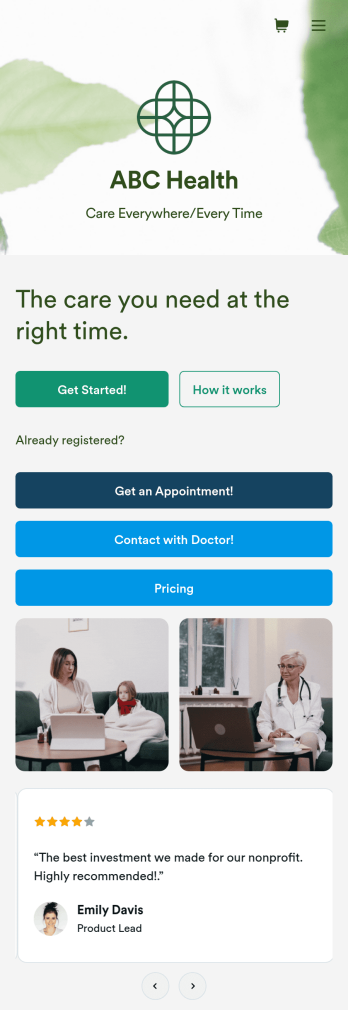
Telehealth App
Gather appointment bookings and patient information with ease using this Telehealth App from Jotform. Simple customize the app to match your needs, share it with patients using a link, and have them download it onto their computer, tablet, or smartphone for easy access. The app includes a Zoom Scheduler that lets patients select a time slot that works for them and generates a new Zoom meeting for each new booking.Need to customize this Telehealth App template? Drag and drop to rearrange the design, add your logo and branding, update existing forms, or connect them to 100+ popular app integrations. Jotform protects form data with a 256-bit SSL connection, GDPR and CCPA friendly features, but you can also optionally upgrade your forms to be HIPAA friendly. Save time with a free Telehealth App that your patients can use on any device.
Go to Category:Appointment & Booking Apps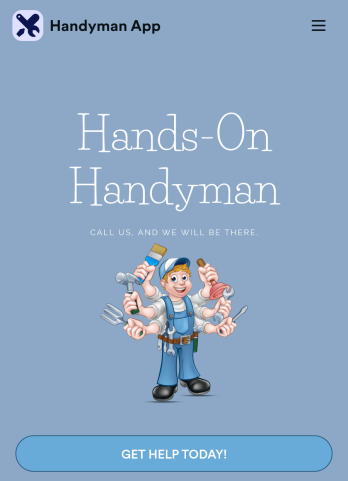
Custom Handyman App
Let clients book your handyman services or request quotes from any device with Jotform’s free downloadable Handyman App. Once you’ve customized the app to match your service offerings and branding, you can share the app to be saved onto any iOS or Android device or accessed instantly in a web browser via your site. You’ll be notified of each response instantly, so you can respond to service requests fast!Make this app match your business with our drag-and-drop builder. No coding required — quickly add your logo, choose your favorite colors and fonts, personalize the app background and icon, and make other changes in seconds. You can even integrate with 25+ payment processors to receive payments while paying no extra transaction fees to Jotform. Switch from time-consuming phone calls and emails to a powerful mobile Handyman App.
Go to Category:Online Service Apps