
Quick Meal Recipe App is a ready-to-use recipe resource for home cooks, food educators, culinary teams, community groups, and content creators who want to make convenient meal ideas easy to find and share. Users can browse quick meals by breakfast, lunch, or dinner, open individual recipes to review ingredients and preparation steps, and submit their own lunch or general recipe ideas. This app template brings scattered cooking inspiration into one accessible location, helping busy households, students, workplace communities, and nutrition-focused programs spend less time searching and more time preparing practical meals.
Jotform Apps makes it simple to turn this template into a branded, mobile-friendly cooking resource without writing code. Use the drag-and-drop app builder to adjust pages, navigation, colors, fonts, images, and recipe categories, then connect forms and tables to support data collection and an organized recipe submission workflow. Jotform App Templates can be shared through a direct link or QR code, giving contributors and readers convenient self-service access from nearly any device. As the recipe collection grows, administrators can update content and manage connected information from one place.
Related templates
Alcohol Delivery App
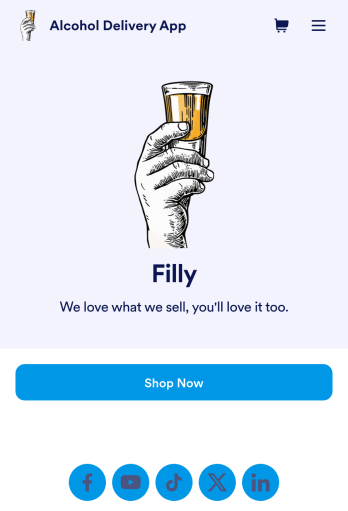
Wondering how to sell alcohol online? With an Alcohol Delivery App from Jotform, your customers can submit delivery details and alcohol orders through a convenient mobile app they’ve downloaded onto their iOS or Android devices. All orders are sent straight to your Jotform account, which sends you automated email notifications — so you and your team can jump on new delivery orders instantly.Customize this Alcohol Delivery App in seconds with our drag-and-drop builder. No coding is required! You can add your products and pricing, including product descriptions or images, and even update the app’s icon, background, fonts, and more for a personalized touch. Sell alcohol online to take your business to the next level and reach a bigger audience with a free Alcohol Delivery App from Jotform.
Go to Category:Delivery Apps
Grocery Delivery App
A grocery delivery app is used by grocery stores for online grocery orders. Need to find out how to sell groceries online? With this Grocery Delivery App, customers can browse your inventory, purchase items, and fill out a form with their general contact information and delivery address. From your splash screen, you can run promotional campaigns and showcase various items, as well as display pick-up and delivery hours. Grocery orders are instantly synced to your secure Jotform account, where you can browse, sort, filter, and search them from any device.Make this app template your own with no coding using our drag-and-drop form builder. You can add or change form elements, choose fonts and colors, upload your logo or thumbnail images of your products, connect an online payment form, and more. After you’re finished customizing your app, simply share it on your website or social media with a link, and customers can download it on any smartphone, tablet, or desktop. Sell grocery orders online for delivery with this Grocery Delivery App from Jotform.
Go to Category:Delivery Apps
Customizable Coffee Shop App
Wondering how to sell coffee online? A coffee shop app is used by coffee shops as a way to collect orders from customers. With this app template, you can create an online menu with product thumbnails, descriptions, and prices, and customers can place to-go and delivery orders from their favorite device. You can also easily include item discounts, customer testimonials, location, and contact number, as well as social media links. Orders are immediately synced to your secure Jotform account, which baristas can access from a tablet or desktop at the counter.Want to make changes to this app template? Jotform's intuitive app builder makes it easy for anyone to customize the look and feel of their app with just a few clicks. No coding required — just drag and drop to add or change form elements, choose custom color schemes to match your branding, upload your logo, add payment integrations, and more. Once you’re satisfied with the look and feel of your online menu, you can share your app with customers by embedding it in your website or generating a custom QR code to hang in the window of your coffee shop. Give your customers the option to order ahead from any device and sell coffee online with this Coffee Shop App from Jotform.
Go to Category:Food & Beverage Apps
Order Ahead App
Wondering how to let customers order ahead online? Giving customers the freedom to order ahead makes everything easier for both parties. With this Order Ahead App, you can collect orders for pick-up or delivery, and take payments with debit or credit cards, or even with PayPal. Customers can open your app from any device, contact your restaurant or leave reviews, and download your app to their smartphone, tablet, or computer.Want to customize your Order Ahead App to match your restaurant’s branding? Our drag-and-drop interface makes it easy to add or change forms, choose fonts and colors, upload your logo or menu thumbnail images, update the app name or text, and more — all with zero coding. After that, simply share the link on your website or social media, and you’re off and running! Make ordering ahead a breeze and sell orders online with your own personal Order Ahead App.
Go to Category:Restaurant Apps
QR Code Menu App
Want to learn how to sell menu items online? A QR menu app is used by restaurants, cafes, and diners who wish to replace a traditional menu with a QR code menu. With this app template, customers can scan a QR code with their smartphones to access your online menu. Once scanned, diners will be presented with your app’s splash screen, where they can navigate between drink and food menus and place no-contact orders for dine-in, pick-up, or delivery. Orders received through your app are automatically synced to your online account, which can be accessed by servers and kitchen staff from any device.Customize this app template to fit your needs using Jotform’s intuitive form builder. No coding required — simply drag and drop to add or change form elements, upload your logo, choose fonts and colors, attach thumbnail images to menu items, and more. You can even create a custom splash screen to run promotions or showcase popular dishes. Once you’re finished, connect your app to a unique QR code, and customers can then scan and access your menu from any smartphone or tablet. Build a custom no-contact online menu in minutes and sell item items online with this free QR Menu App from Jotform.
Go to Category:Food & Beverage Apps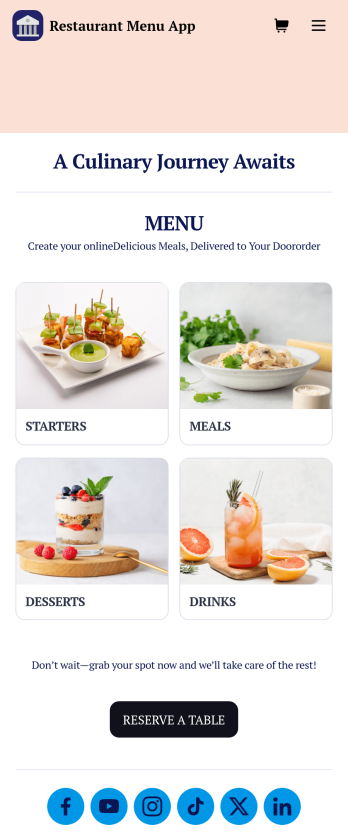
Restaurant Menu App
Need to know how to sell restaurant food online? A restaurant menu app is used by restaurants, cafes, and diners for managing table reservations and taking food and drink orders. This Restaurant Menu App contains three forms which allow customers to reserve tables and order from separate food and drink menus. Customers can place orders before they get to the restaurant, or specify orders for pick-up or delivery. Submissions are instantly synced to your Jotform account, which you and your staff can access from any device.Customize this app template to match your restaurant’s branding using Jotform’s no-code form builder. Just drag and drop to add or change form elements, choose fonts and colors, upload your logo, create a custom app icon, and more. You can also include thumbnail images for menu items and showcase popular dishes on your app’s splash screen. After you’re done, simply share a link on your website or social media, and customers can access and download your app on any smartphone, tablet, desktop. Manage reservations and sell restaurant food online from one convenient app with this Restaurant Menu App.
Go to Category:Food & Beverage Apps