
SurveyMonkey makes it easy to launch a survey for free, but its limits can become costly as feedback collection becomes a regular part of your workflow. The advertised price is only one part of the decision: Individual plans trade monthly flexibility for annual commitments and response allowances, while team plans introduce a three-user minimum and higher-volume limits.
Whether SurveyMonkey is worth the cost depends on how many responses you expect; whether you need branded surveys, advanced logic, and analysis; and how your team will use the data after it’s collected. This guide breaks down every plan, its practical limits, and the upgrade scenarios that justify the price.
Best for | Billing | Response allowance | Key upgrade reason | |
|---|---|---|---|---|
| Basic | Personal projects and quick feedback | Free | Limited per survey | Create and share simple surveys |
| Standard Monthly | A one-time survey or short campaign | $129 per month, billed monthly | 1,000 per month | Remove annual commitment |
| Advantage Annual | Recurring business surveys | $39 per month, billed annually | 15,000 per year | Add branding, logic, and analysis |
| Premier Annual | Complex research programs | $139 per month, billed annually | 40,000 per year | Unlock advanced logic and crosstabs |
| Team / Enterprise | Collaborative, high-volume programs | From $30 per user per month, billed annually | 50,000-plus yearly or custom | Manage users, governance, and security |
SurveyMonkey Basic: What does the free plan include?
Ideal user: Individuals who need a simple survey, form, or quiz for a small audience
SurveyMonkey Basic is the company’s free entry point. It lets one user create unlimited surveys with up to 10 questions per survey, and then publish them by web link, social media, or website embed. It also includes some question types, AI-assisted survey building, and a Zapier integration.
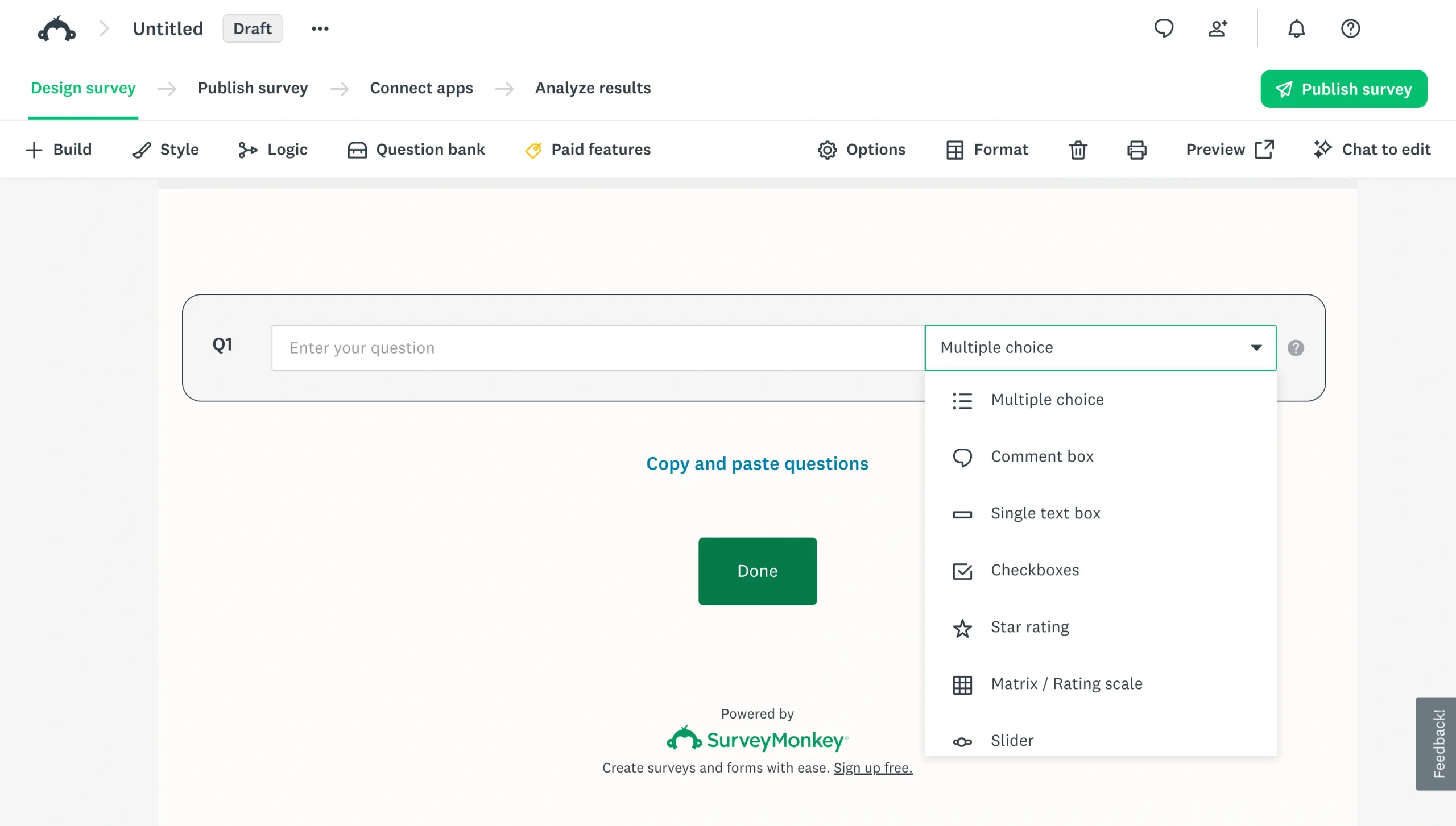
That makes it a reasonable place to test the platform or collect a handful of answers. A club organizer could use it to choose a meeting date, for instance, while a teacher might use it for a quick end-of-lesson check-in.
Pros:
- No cost to create and share simple surveys
- Unlimited surveys for one user
- Useful distribution options for lightweight feedback
Cons:
- Limited responses are visible per survey
- Surveys are capped at 10 questions, with fewer customization options
When the free plan is enough, and when it is not
The free plan is enough when your survey is short, your audience is small, and you only need to review responses inside SurveyMonkey. It can work well for a quick customer poll, a volunteer sign-up question, or a one-off quiz.
Its limits show up quickly when your needs become more operational. You’ll need a paid plan if you want unlimited questions, more visible responses, custom design, data exports, email invitations, skip logic, or access to a wider set of integrations. Paying is also necessary if you want to remove the platform’s branding from a respondent-facing survey. Learn more about how to remove SurveyMonkey branding before deciding whether that upgrade matters for your organization.
SurveyMonkey Standard Monthly: Flexible pricing for short-term survey needs
Ideal user: A solo professional who needs paid features for a temporary project
SurveyMonkey Standard Monthly costs $129 per month for one user and includes 1,000 responses per month. It’s designed for people who need more than the Basic plan but don’t want to commit to a full year of service.
The plan includes unlimited questions, more question types, custom design, skip logic, email invitations, data exports, and 200-plus integrations. That makes it practical for a consultant running a client-feedback project, a marketer validating a campaign, or an HR professional conducting a single employee survey.
Pros:
- Monthly billing provides flexibility for short-term use
- Includes data exports, skip logic, and email invitations
- Supports up to 1,000 responses per month
Cons:
- The monthly price is high for ongoing survey programs
- One user must manage survey creation and analysis
Standard Monthly can be a sensible choice when you have a defined start and end date. If you only need a survey for a product launch, conference, or three-month research project, it may cost less than buying an annual plan that you won’t fully use. For recurring surveys, though, the annual individual plans offer more capacity at a lower monthly equivalent.
SurveyMonkey Advantage and Premier: Which annual plan is worth the upgrade?
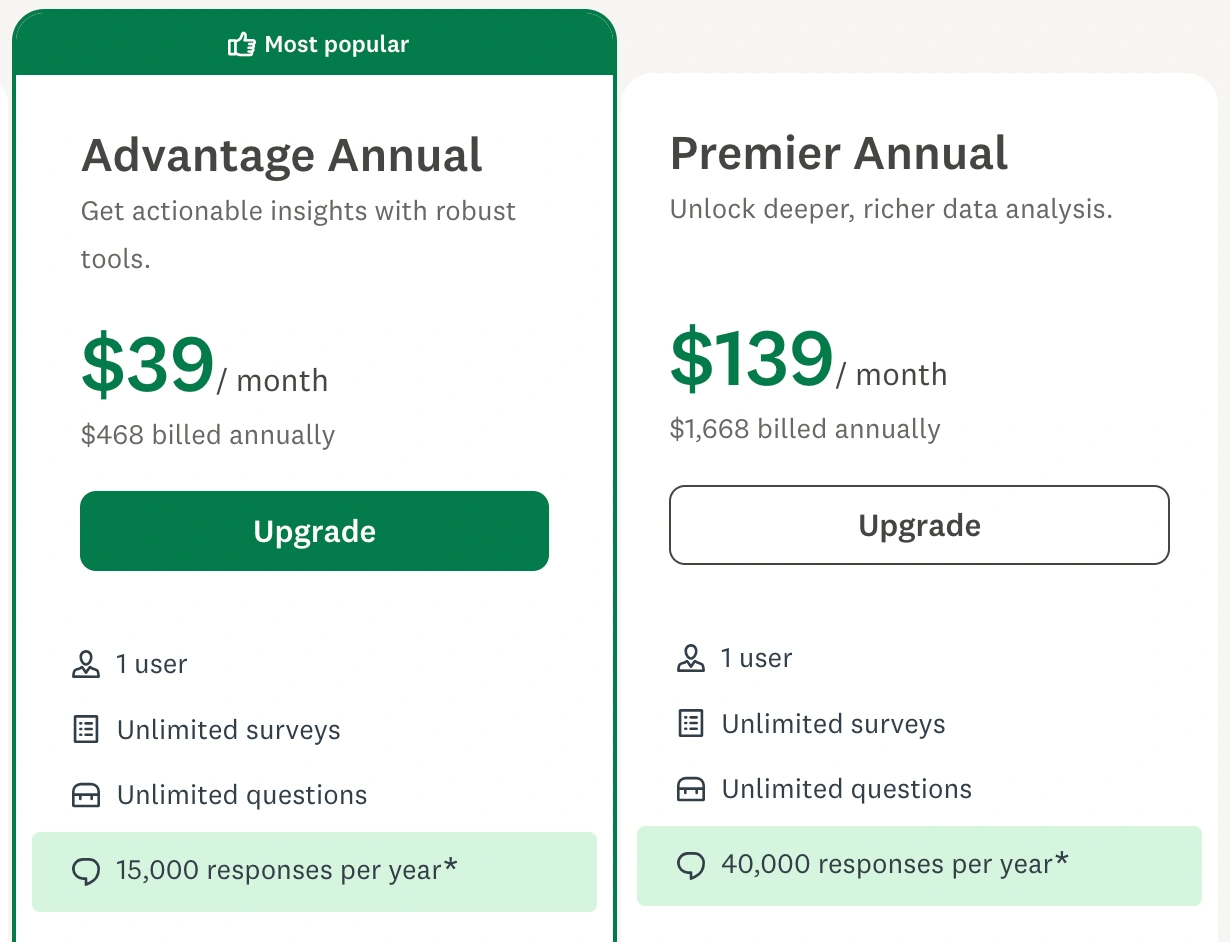
SurveyMonkey’s annual individual plans are built for organizations that collect feedback regularly. Both include one user, unlimited surveys, unlimited questions, and a yearly response allowance. Advantage Annual is the mid-tier option for ongoing feedback programs, while Premier Annual adds deeper research and analysis tools for more complex projects.
SurveyMonkey Advantage Annual
Ideal user: A small business, marketer, or customer-experience professional running regular branded surveys
Advantage Annual costs $39 per month, billed as $468 annually. It includes 15,000 responses per year and everything in Standard Monthly, plus premium themes, more logic features, payment acceptance, statistical significance, multisurvey analysis, AI analysis, thematic analysis, and programs for always-on insights.
This plan is a good fit when surveys are part of your normal workflow rather than an occasional task. A retail business could use it to collect post-purchase feedback throughout the year, while a marketing team could compare campaign surveys over time instead of reviewing each result in isolation.
The biggest reason to upgrade from Standard Monthly isn’t just the lower monthly equivalent — it’s the ability to run a continuing feedback program, work with a larger annual response pool, and identify trends across multiple surveys.
SurveyMonkey Premier Annual
Ideal user: Researchers and feedback teams conducting complex or high-volume survey programs
Premier Annual costs $139 per month, billed as $1,668 annually. It increases the allowance to 40,000 responses per year and includes everything in Advantage Annual, plus white-label branding, survey completion redirects, advanced logic, block randomization, multilingual surveys, crosstabs, and phone support.
This is the plan to consider when survey design and analysis need more precision. For example, a research team that needs to randomize question blocks to reduce bias, compare results by respondent segment, or deliver surveys in multiple languages may find Premier’s extra features worthwhile.
For many small businesses, Premier will be more than they need. However, it becomes easier to justify when a survey program informs high-stakes decisions, such as product positioning, an employee engagement strategy, or a large customer-experience initiative.
SurveyMonkey team and enterprise pricing
Ideal user: Teams that need shared administration, centralized brand control, and larger response allowances
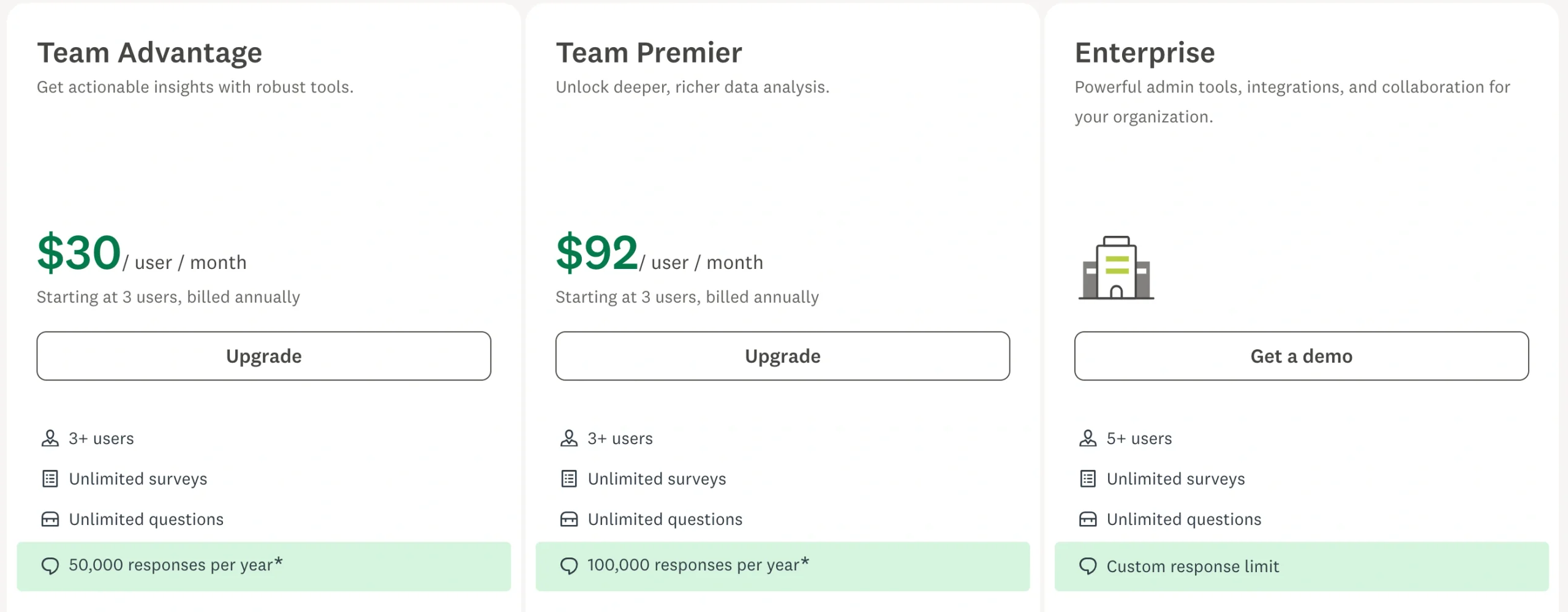
SurveyMonkey’s team plans start at three users and are billed annually. Team Advantage costs $30 per user per month and includes 50,000 responses per year. Team Premier costs $92 per user per month and includes 100,000 responses per year.
Team Advantage includes shared brand assets, user roles and permissions, premium themes, more logic features, payment acceptance, statistical significance, multisurvey analysis, and AI analysis. It’s designed for teams that want people across departments to create surveys while keeping the experience consistent.
Team Premier adds white-label branding, advanced logic, block randomization, multilingual surveys, crosstabs, and phone support. It may suit a larger research, HR, or customer-experience team that needs both collaboration and more advanced analysis.
Enterprise pricing is custom and starts at five users. It adds user-management reporting, enhanced governance and security, centralized billing, regional data-center options, premium onboarding, Customer Success access, single sign-on, smart notifications, a custom subdomain, rule-based tagging, and a Zoom integration.
Remember to account for response overages and extra costs
Don’t select a SurveyMonkey plan based on subscription price alone. Paid-plan response limits are shared across surveys and users, so a busy campaign can use capacity faster than expected. SurveyMonkey currently lists an additional-response fee of $0.15 per response once you exceed your plan’s allowance.
Also, be sure to distinguish your software subscription from SurveyMonkey Audience. Your plan covers the surveys you build and distribute to people you already know, such as customers, employees, newsletter subscribers, or event attendees. SurveyMonkey Audience is a separate service for purchasing panel responses, and its cost varies based on the audience you target.
Before upgrading, estimate your annual response volume and ask whether you need external respondents. This helps you avoid comparing a subscription price with the total cost of a research project.
Is SurveyMonkey worth the cost?
SurveyMonkey is worth the cost when its survey-focused feature set aligns with the way you collect and analyze feedback. It’s established and easy to use, and it offers a clear upgrade path from short surveys to more sophisticated research programs.
SurveyMonkey is worth it if:
- You regularly run customer, employee, or market-research surveys.
- You need advanced survey logic, multilingual surveys, or crosstabs.
- Your team benefits from SurveyMonkey’s dedicated analysis and reporting tools.
The free plan may be enough if:
- You only need occasional, short surveys.
- Your audience is small and you can work within the visible-response limit.
- You don’t need exports, custom design, advanced logic, or white labeling.
Consider an alternative if:
- You need forms, registrations, applications, and surveys in one workspace.
- Your process requires payments, file uploads, approvals, or follow-up tasks.
- You want to compare platforms based on the capabilities you’ll actually use.
If you are still weighing options, review this SurveyMonkey vs Jotform comparison and this list of the best SurveyMonkey alternatives. You can also explore the best survey tools for a broader view of the market.
Need more than surveys? Consider Jotform
SurveyMonkey is built around collecting and analyzing survey responses. Jotform is a broader data collection and workflow platform for teams that also need to gather registrations, applications, payments, documents, and files.
With Jotform, you can create branded surveys and forms with conditional logic, then use the same builder for event registration, job applications, order forms, and customer intake. That flexibility can be especially useful when feedback is only one part of your process.
For example, a business could use a survey to measure customer satisfaction, a payment form to collect a service fee, and an application form to screen candidates — all without switching between separate form-building tools. Once submissions arrive, Jotform Tables can help organize the data in a spreadsheet-powered workspace, while Jotform Workflows can route submissions for approvals, notifications, and next steps.
Jotform also integrates with the tools your team already uses, helping survey and form data move into the systems where work happens. If you’re planning your first project, start with this guide on how to create a survey, browse these survey question examples, and review these survey data collection best practices.
Ultimately, the best option is the one that supports your real workflow at a price that makes sense for your expected volume. Compare Jotform with SurveyMonkey and explore Jotform’s survey builder to see which approach suits your team best.
This article is for small-business owners, marketers, researchers, HR teams, and customer-experience professionals comparing SurveyMonkey plans before upgrading.






Send Comment: