Widget Progression de lecture
Fonctionnalités du widget Progression de lecture pour les contenus longs
Add a scroll progress indicator to articles, documentation, guides, and landing pages. Choose what content to track, show percentage or time remaining, adjust placement, and style the widget to match your website without code.
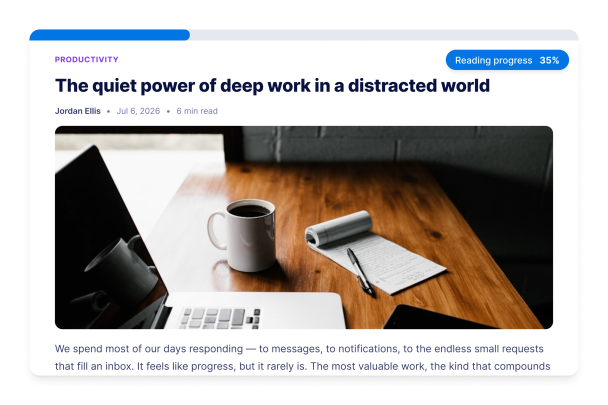

Choose the Progress Indicator That Fits Your Page
Affichez la progression de lecture sous forme de barre en haut ou en bas de la page, de cercle flottant ou d’étapes segmentées. Suivez la progression sur l’ensemble de la page, dans la zone d’un article ou à l’aide d’un sélecteur CSS personnalisé, afin que le widget suive précisément le contenu que les lecteurs doivent parcourir jusqu’au bout.
Progress controls include:
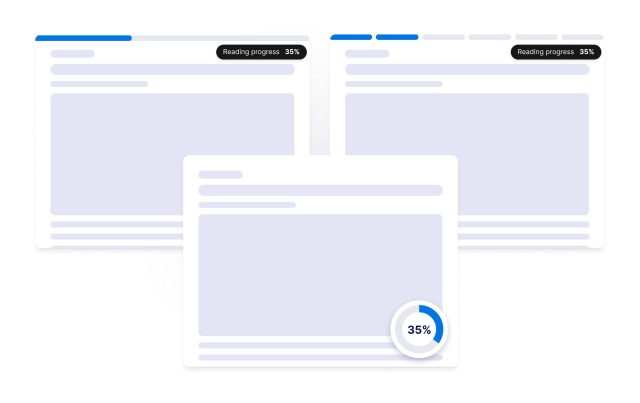
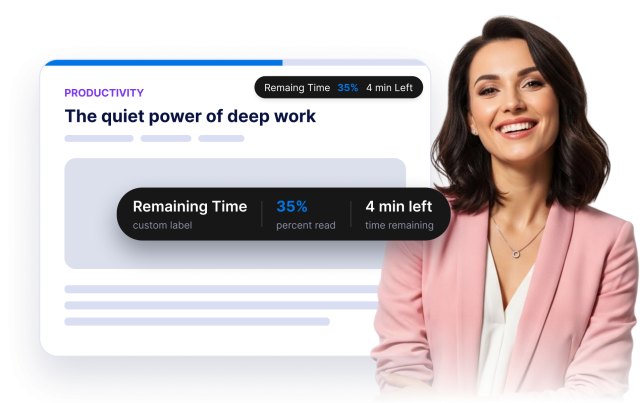
Show Percentage, Labels, and Time Remaining
Give visitors a clear reading cue with a custom label, percent-read display, and automatically estimated time remaining. Use the {{percent}} placeholder to control how progress appears in the label.
Content controls include:
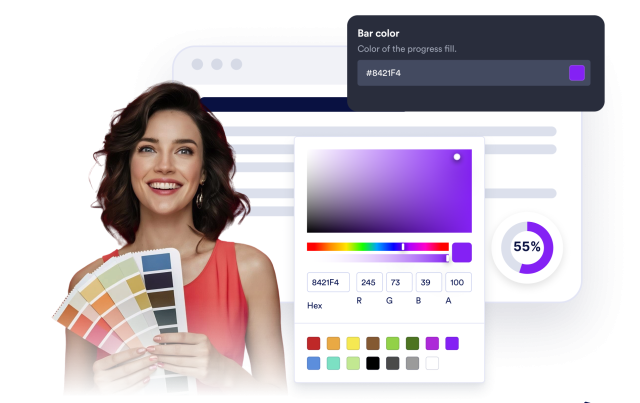
Match the Indicator to Your Website Style
Customize progress, track, label, percentage, and time-remaining colors. Choose a solid or gradient fill, adjust height and rounded corners, add a shadow, and use scoped custom CSS for advanced styling.
Style controls include:
Control Placement and Device Visibility
Pin the indicator to the top or bottom edge, place a circle in the corner, offset sticky headers, set the progress direction, and choose whether the widget appears on desktop, mobile, or both.
Layout controls include: