Outdoor Field Journal App helps you document what you see and do outdoors, whether you’re hiking, birding, doing field research, or leading nature programs. It supports quick field notes, species sightings, and trip planning in one place, so you can capture observations while they’re fresh and review them later by entry. This template is useful for naturalists, students, researchers, outdoor guides, park staff, and community science groups that need a simple, repeatable way to record locations, counts, and key details from the field.
With Jotform, you can turn this app template into a mobile-friendly journal without code using a drag-and-drop interface. Connect the app to your forms and data collection workflows, then tailor pages, buttons, and layouts to match your routine in the field. Share a single link with a team, keep records organized in one hub, and update entries over time as your observations and trips evolve.
Related templates

Spending Journal App
A Spending Journal App gives individuals and households a simple place to record everyday purchases and keep a running view of where money is going. With a quick way to log a spend, a list of recent entries, and an easy-to-scan spending summary, it helps you build better awareness of habits across categories and merchants without turning budgeting into a complex project. Use it to capture cash purchases, track discretionary spending, document business reimbursements, or spot patterns like frequent small buys that add up over time.Jotform makes it easy to turn this use case into a polished self-service experience with App Templates you can publish in minutes. Using Jotform’s no-code app builder and drag-and-drop interface, you can adjust pages, wording, and branding, then connect the app to the linked form for consistent data collection. As entries come in, your workflow stays organized for personal tracking or sharing with a partner, while keeping the journal experience mobile-friendly and simple to revisit.
Go to Category:Expense Tracking Apps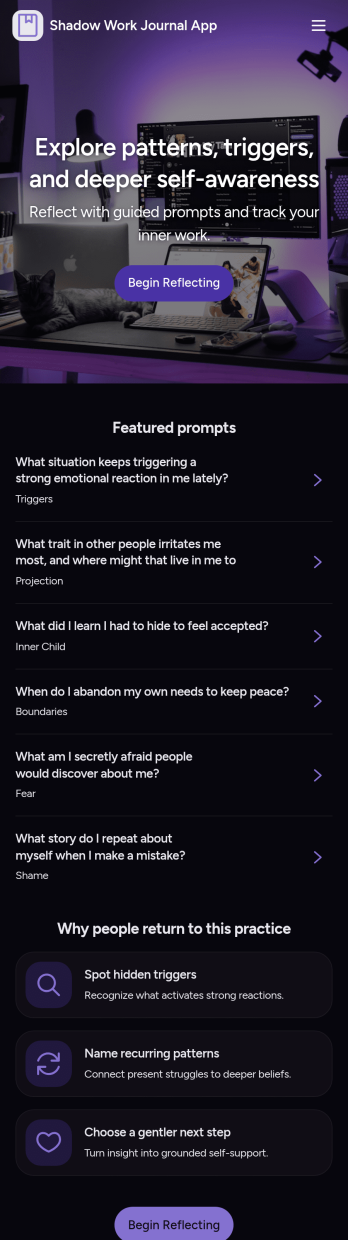
Shadow Work Journal App
A Shadow Work Journal App gives you a guided space to explore reflection prompts, capture private journal entries, and log quick mood check-ins in one place. Use it to build a steady journaling habit, work through recurring patterns, or support personal growth between coaching sessions. It’s a great fit for individuals who want structure while writing, as well as wellness practitioners who want to share a consistent prompt flow with clients or groups without turning the process into a complicated system.Jotform makes it easy to turn this Shadow Work Journal App into a personalized experience with App Templates and a no-code app builder. With a drag-and-drop interface, you can tailor the pages, organize prompts into browsable lists, and connect journal entry and check-in forms to a workflow that fits your routine. Share the app with a simple link, keep your data collection organized, and update content anytime as your self-service journaling practice evolves.
Go to Category:Mental Health Apps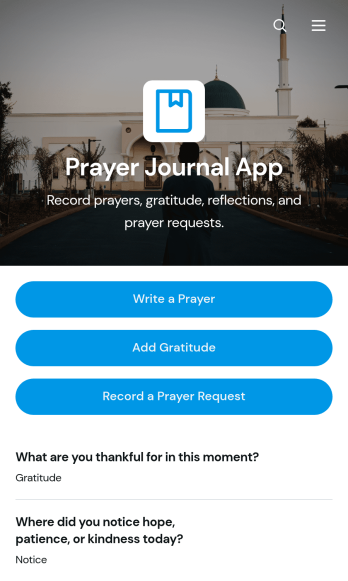
Prayer Journal App
Prayer Journal App is an app template for individuals, prayer groups, faith communities, and ministry teams that want one organized place to document spiritual reflections and ongoing needs. Users can write prayers, add gratitude entries, and record prayer requests while reviewing answer statuses, open requests, dates, and follow-up notes. This format helps people maintain a consistent reflection practice, recognize meaningful developments over time, and avoid losing important requests in scattered notebooks or messages. It can support personal devotion, small-group check-ins, pastoral care, retreats, and community prayer initiatives.Jotform App Templates make it easy to turn this journal experience into a personalized, mobile-friendly resource without coding. Use the no-code app builder and drag-and-drop interface to adjust pages, navigation, colors, fonts, and visual elements for individual or group use. Connected forms simplify data collection, while tables and workflows can help organize entries and trigger relevant updates. Once customized, the Prayer Journal App can be published with a direct link or QR code, giving users convenient self-service access from phones, tablets, or computers.
Go to Category:Journal Apps
Notary Journal App
Notary Journal App helps notaries record, review, and organize notarization details in one place so day-to-day logging stays consistent. Use it to add new entries right after each appointment, browse a journal list to find past records fast, and open a review area that summarizes key activity for quick oversight. It fits mobile notaries, office-based notaries, and teams handling frequent signings who want a clear routine for capturing signer information, dates, and related notes without hunting through paper logs.With Jotform, you can turn this Notary Journal App app template into a branded self-service experience using a no-code app builder and a drag-and-drop interface. Connect the app to a form for data collection, route information into a workflow you control, and keep entries organized for easy access over time. Share the app by link or QR code, customize pages and navigation, and manage ongoing updates from a single Jotform workspace.
Go to Category:Log Apps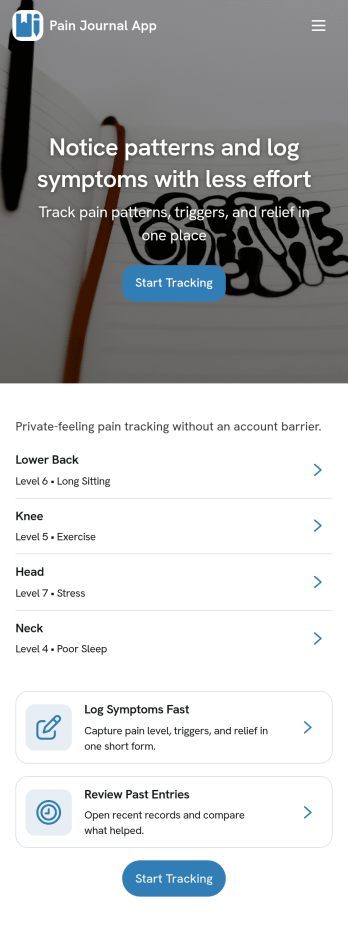
Pain Journal App
Pain Journal App helps you log symptoms in a consistent, easy-to-review way so patterns don’t get lost between busy days. Use it to add a new entry when pain starts or changes, capture key details like area and intensity, and build a personal history you can refer to when planning your routine or discussing next steps with a care team. It’s useful for anyone managing chronic pain, recovery, migraines, flare-ups, or recurring discomfort who wants a simple place to record what happened, when it happened, and what may have influenced it.With Jotform, you can turn this app template into a personalized tracking experience using a no-code app builder and a drag-and-drop interface. Connect the New Entry flow to a form for data collection, view past logs through a History page and tables, and keep information organized as your workflow grows. Share the app link across your devices for quick self-service access, adjust the layout and branding, and keep your entries structured so you can spot trends over time.
Go to Category:Healthcare Apps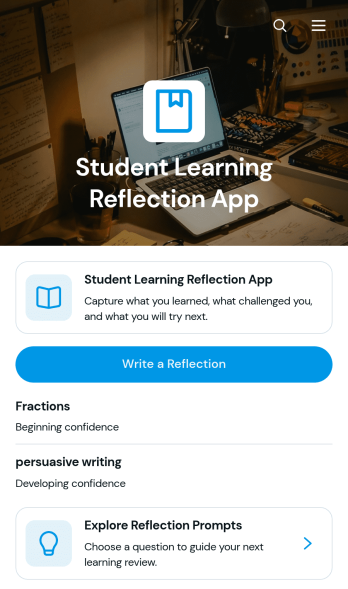
Student Learning Reflection App
The Student Learning Reflection App helps learners document what they studied, consider what challenged them, and identify a practical next step after a lesson or activity. It is useful for students, teachers, tutors, training providers, and educational programs that want to make reflection a consistent part of learning. Students can write reflections, explore prompts, and review entries organized by learning topic. Key details such as confidence and study format provide added context without making the process burdensome. The app works well for classroom lessons, independent study, tutoring sessions, project reviews, course checkpoints, and skill-development programs.Jotform makes this app template easy to adapt with a no-code app builder and an intuitive drag-and-drop interface. Educators can adjust pages, prompts, visual elements, and navigation to match a subject, grade level, or teaching approach. Connected forms and tables support data collection and keep reflection records organized within a practical workflow. Once customized, the app can be shared by direct link or QR code for convenient mobile access. Jotform App Templates also help schools and learning teams create branded self-service experiences that bring reflection activities and useful resources together in one accessible place.
Go to Category:Education Apps