أداة اللافتات الإعلانية للمواقع الإلكترونية
روّج للعروض والإعلانات والفعاليات والتحديثات المهمة باستخدام أداة الشريط من Jotform. أضف أزرارًا أو نماذج أو مؤقتات للعد التنازلي أو قسائم أو صورًا أو مقاطع فيديو، وخصص التصميم، وضمّن شريطك دون كتابة أي كود.
ابدأ الآن — إنها خدمة مجانية!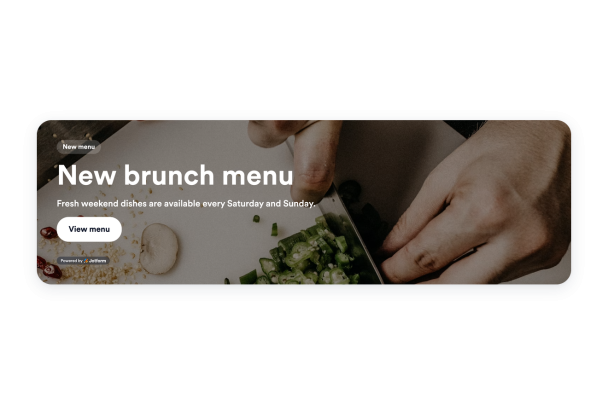

كيفية إنشاء عنصر واجهة لافتة
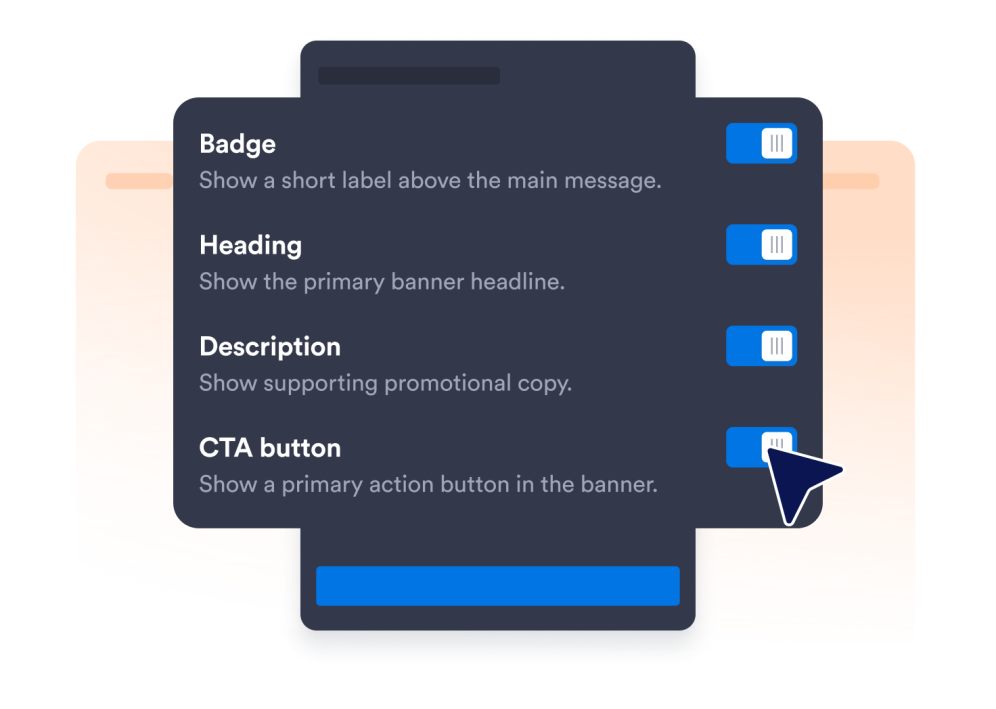
اختر عناصر الأداة
اختر المحتوى والعناصر التي تريد عرضها لزوار موقعك الإلكتروني وخصص أداتك لتلبية احتياجاتك.
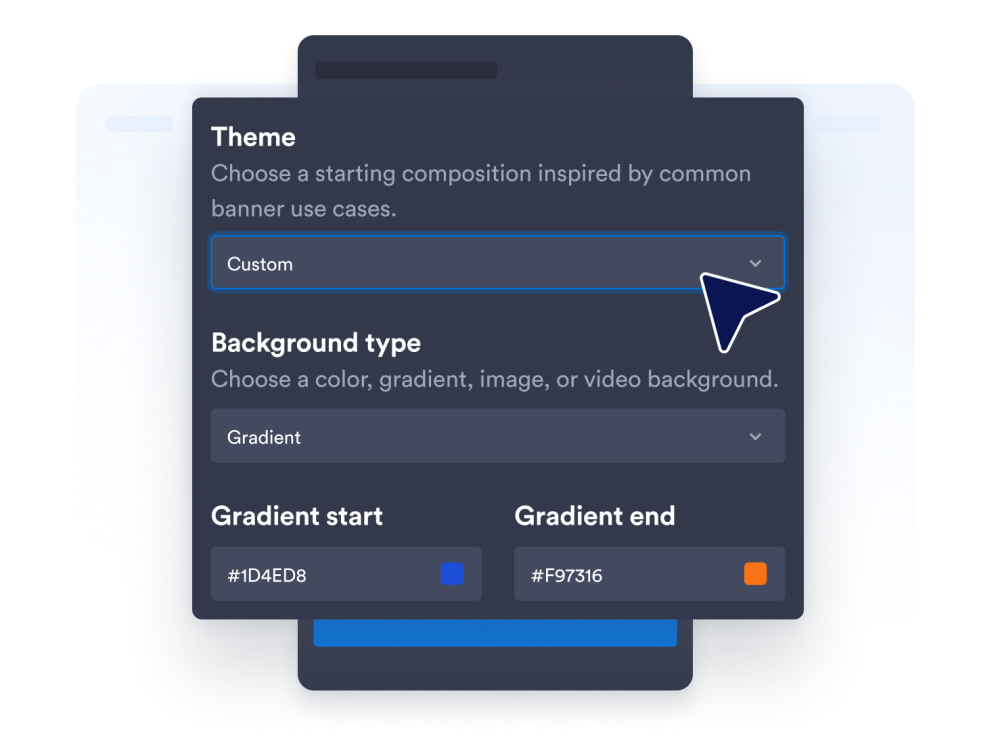
تخصيص عنصر واجهة المستخدم الخاص بك
خصص مظهر أداتك عن طريق ضبط الألوان وإعدادات التصميم الأخرى لتتناسب مع نمط موقعك الإلكتروني.
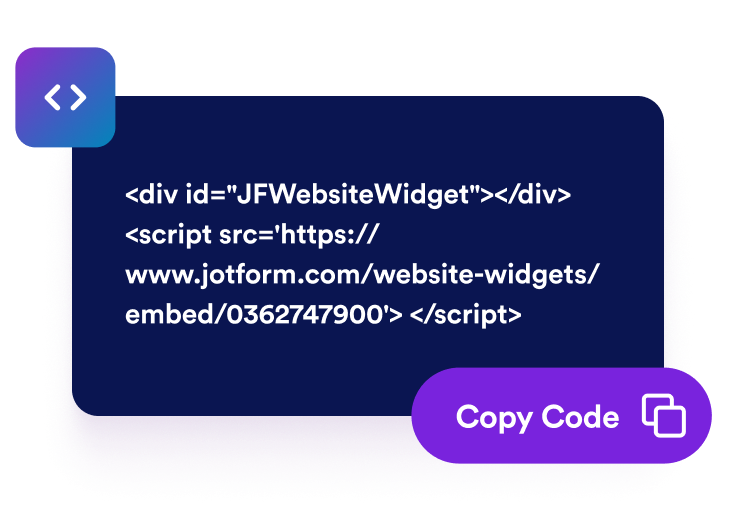
قم بتضمينها في موقع الويب الخاص بك
الصق كود التضمين في كتلة HTML مخصصة أو كتلة تضمين، ثم انشر صفحتك لعرض أداة الموقع الإلكتروني.
حوّل أشرطة الموقع الإلكتروني إلى إجراءات واضحة للحملة
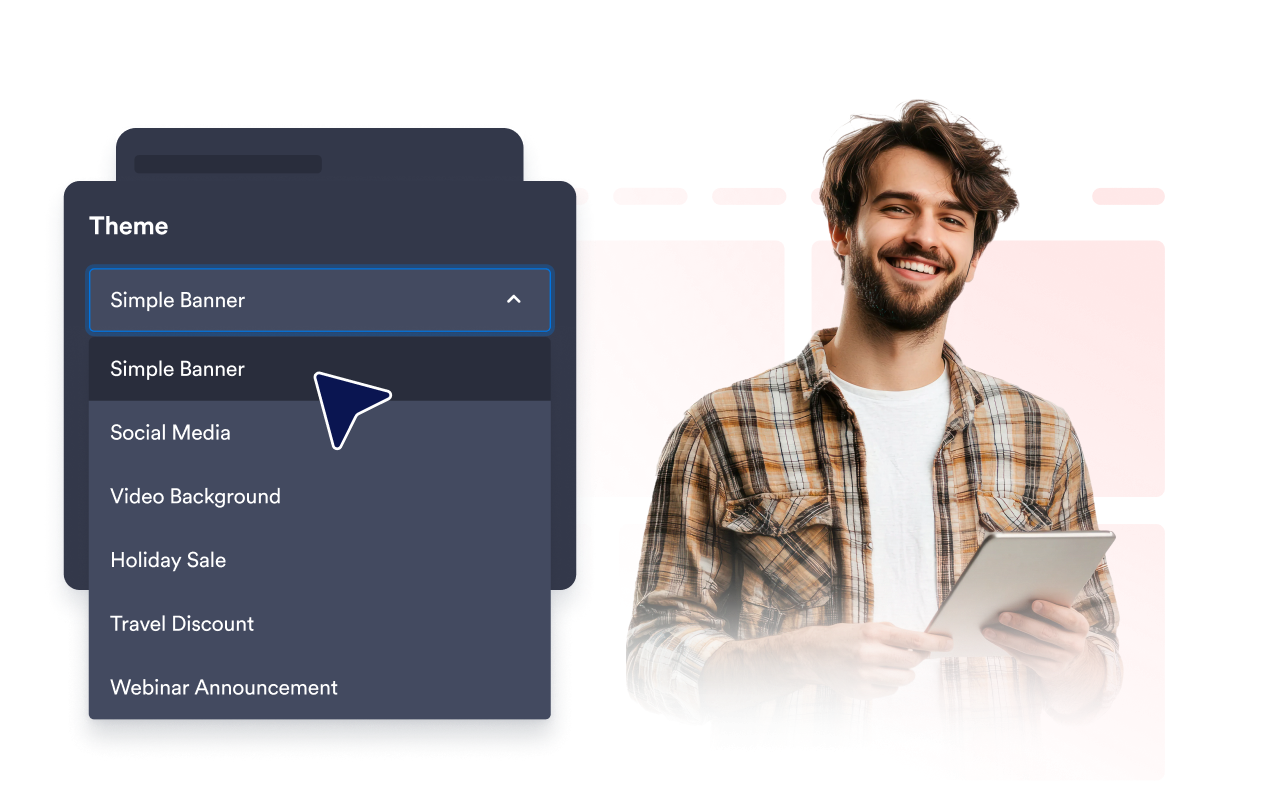
إطلاق العروض الترويجية لأي حملة
أنشئ أشرطة للمبيعات، وإطلاق المنتجات، والفعاليات، والندوات عبر الإنترنت، والعروض الترويجية للمطاعم، وعروض السفر، والحملات الموسمية. تمنحك أنماط الأشرطة الجاهزة نقطة بداية مفيدة، مع تركساحة لتكييف الرسالة مع جمهورك وهدفك.
جذب الانتباه باستخدام الوسائط الغنية
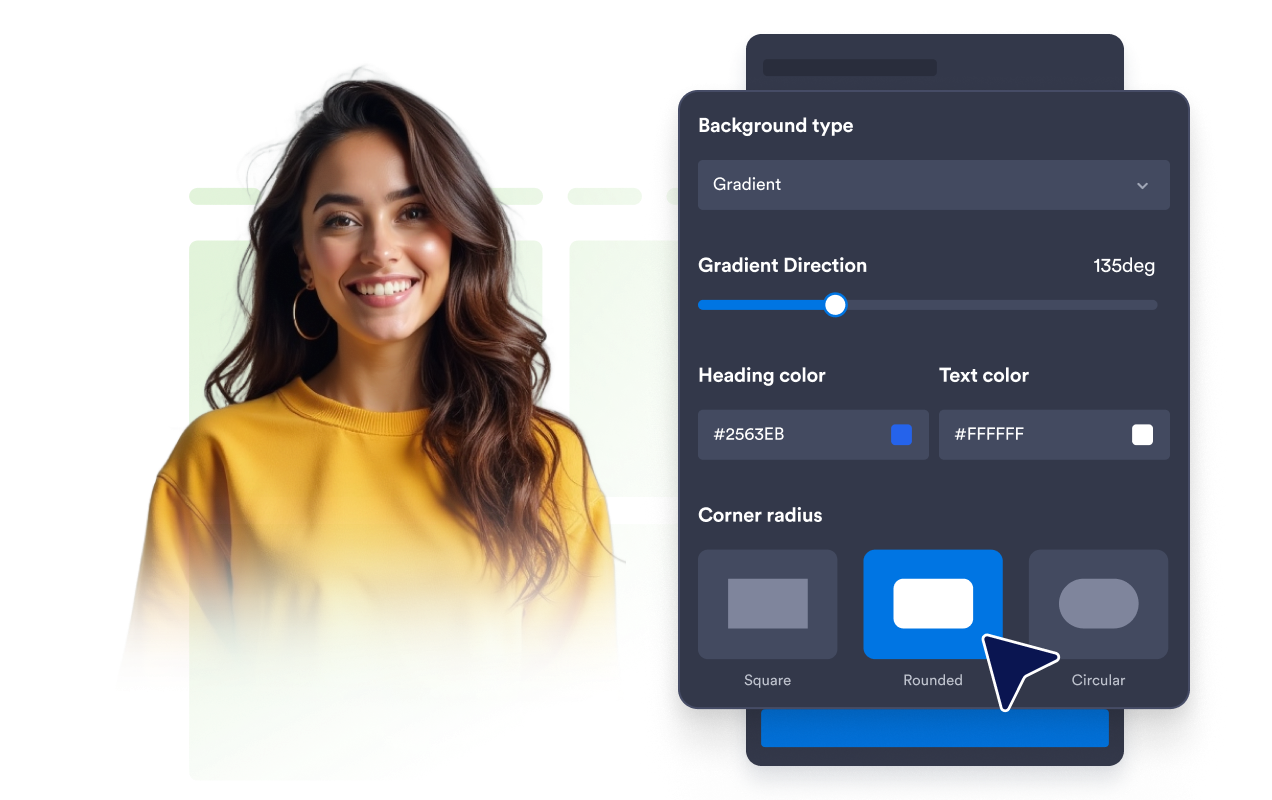
اجعل الرسائل المهمة أكثر وضوحًا باستخدام ألوان موحدة أو تدرجات لونية أو صور أو خلفيات فيديو من YouTube وVimeo. اضبط السطوع والتمدد والزوايا الدائرية لإنشاء شريط يتناسق مع بقية صفحتك.
توجيه الزوار نحو الإجراءات الرئيسية
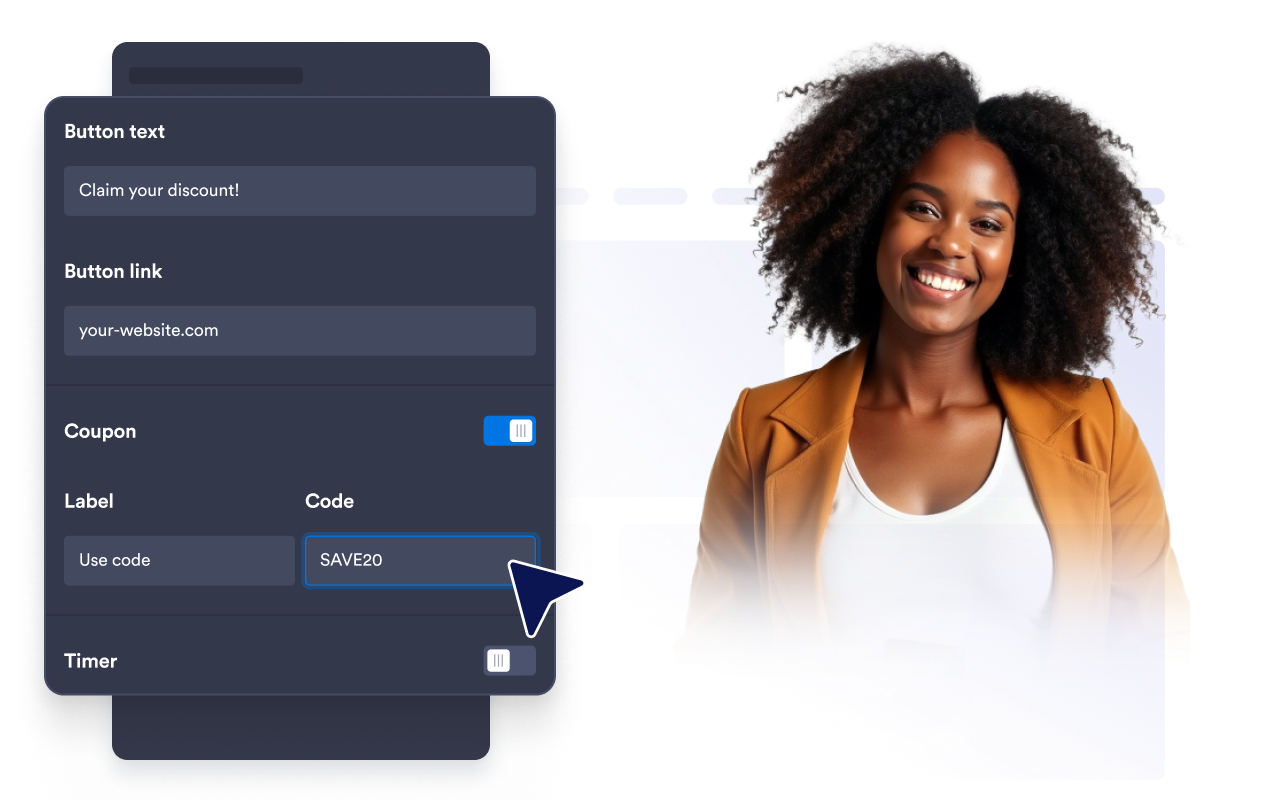
وجّه الزوار إلى الخطوة التالية باستخدام أزرار CTA أو الروابط النصية أو مناطق الشريط القابلة للنقر أو رموز القسائم أو مؤقتات العد التنازلي أو نماذج البريد الإلكتروني. اجمع بين العناصر المناسبة للترويج لعرض، أو جمع الاهتمام، أو مشاركة معلومات حساسة للوقت.
ملاءمة الأشرطة مع جميع الأجهزة
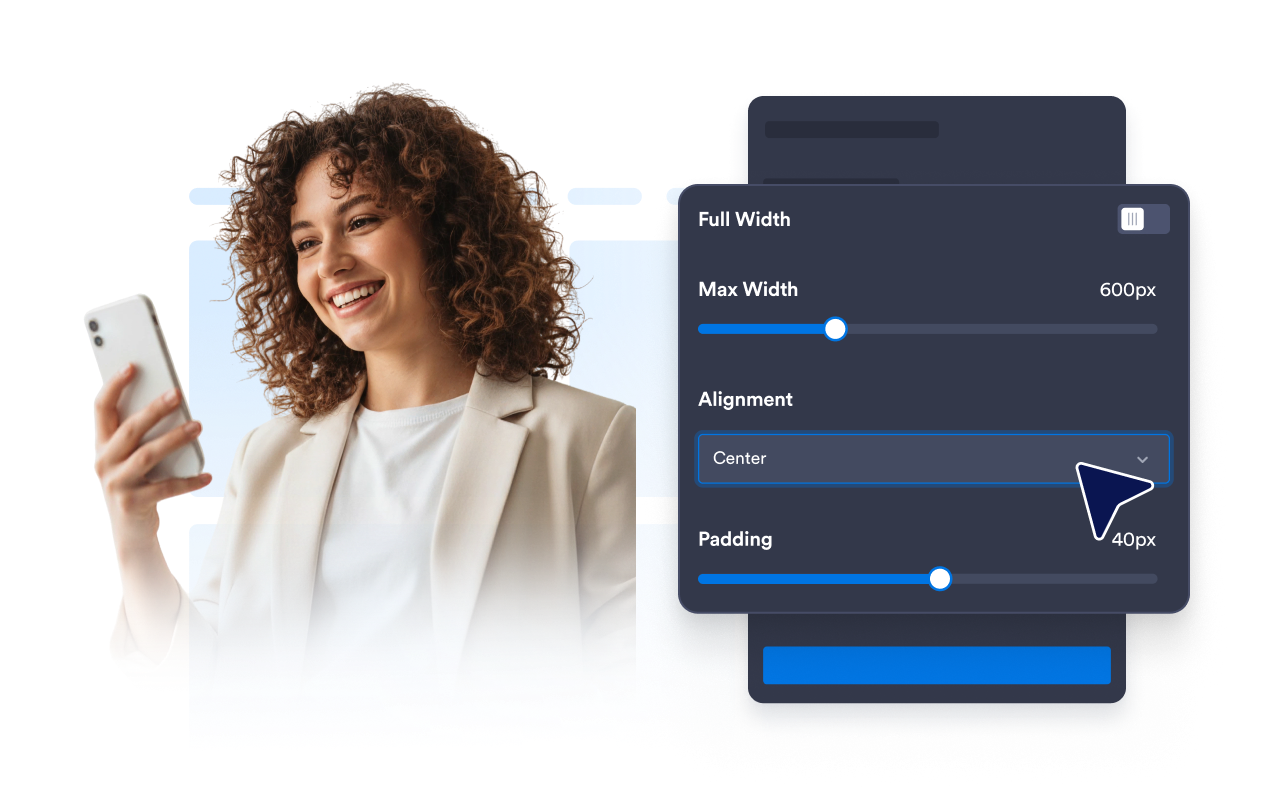
اختر تخطيطات أفقية أو رأسية، وقم بتعيين عرض مخصص أو كامل، واضبط المحاذاة والحشو والمسافات. تتيح لك إعدادات ظهور الجهاز التحكم في ما إذا كان الشريط سيظهر على جميع الشاشات أو على أجهزة سطح المكتب أو الهواتف المحمولة فقط.
لماذا تتميز أدوات Jotform لمواقع الويب؟
تجعل أدوات Jotform موقع الويب الخاص بك أكثر تفاعلية وتساعد على زيادة معدلات التحويل. تتوفر العديد من الأدوات، بدءًا من تقييمات النجوم وأشرطة تمرير تقييمات العملاء، وصولًا إلى النوافذ المنبثقة التي تعرض تقييمات العملاء وتضمين الوسائط. أضف الأدوات إلى نماذجك أو صفحاتك المقصودة لجمع البيانات، وعرض آراء العملاء، وجمع العملاء المحتملين — دون الحاجة إلى كتابة أكواد.
أضف أدوات Jotform إلى موقعك الإلكتروني باستخدام كود تضمين بسيط. خصّص الأداة، واعرض معاينة لشكلها، ثم أدرجها في أي صفحة تدعم HTML المخصص أو حزم التضمين، وكل ذلك دون الحاجة إلى مطور.
استخدم أدوات مواقع الويب من Jotform لجمع بيانات العملاء المحتملين، وإظهار تقييمات العملاء، وعرض الآراء الاجتماعية، وتضمين ملفات الوسائط، أو إضافة أدوات مفيدة لصفحات ويب. تقوم كل أداة بمساعدة الزوار على التفاعل مع خدماتك مباشرةً من موقعك الإلكتروني.
إذا كنت بحاجة إلى مساعدة في إعداد أداتك أو تخصيصها أو تضمينها أو استكشاف المشكلات وإصلاحها، فإن فريق دعم العملاء في Jotform متاح على مدار الساعة طوال أيام الأسبوع. يمكنك المتابعة بثقة، مع العلم أن المساعدة متاحة عندما تحتاج إليها.
أين تستخدم أداة الشريط الخاصة بك
ضع الأشرطة في أماكن يحتاج فيها الزوار إلى ملاحظة عرض، أو فهم إعلان، أو اتخاذ الخطوة التالية.
المناطق البارزة في الصفحة الرئيسية للترويج للإصدارات الجديدة والإعلانات والحملات الموسمية.
صفحات المنتجات والأسعار لتسليط الضوء على الخصومات أو القسائم أو العروض المجمعة أو عروض الشحن.
صفحات الفعاليات والندوات عبر الإنترنت لإبراز أزرار التسجيل، والنماذج، وأجهزة العد التنازلي.
مواقع المطاعم للترويج لقوائم الطعام، وافتتاحات المطاعم، والفعاليات، أو العروض المحدودة المدة.
صفحات السفر والضيافة لعرض عروض الحجز الترويجية والباقات الموسمية.
صفحات المدونة والموارد لتوجيه القراء إلى النشرات الإخبارية أو العروض ذات الصلة أو الحملات الترويجية.
حوّل العملاء المحتملين إلى مبيعات حقيقية باستخدام منشئ النماذج من Jotform
حوّل التفاعل إلى نتائج فعلية مع Jotform. أنشئ نماذج قوية لجمع بيانات العملاء المحتملين، واستلام المدفوعات، وأتمتة الردود، كل ذلك في مكان واحد. تصل جميع البيانات المرسلة إلى صندوق الوارد في Jotform الخاص بك، حيث يمكنك المتابعة أو الربط مع تطبيقاتك المفضلة.
ابدأ - إنه مجاني!
أسئلة متكررة ومتداولة
ما هي أداة الشريط؟
تُعد أداة البانر قسمًا ترويجيًا قابلًا للتخصيص يمكنك تضمينه في موقع الويب الخاص بك. استخدمها لعرض الإعلانات والخصومات والفعاليات وإطلاق المنتجات والقسائم والوسائط وفرص التسجيل وغيرها من الدعوات إلى اتخاذ إجراء.
كيف أضيف شريطًا إلى موقعي الإلكتروني؟
هل يمكنني جعل الشريط بالكامل قابلًا للنقر؟
هل يمكنني استخدام صور أو مقاطع فيديو في الشريط الخاص بي؟
هل يمكنني إضافة قسائم أو مؤقتات للعد التنازلي أو نماذج؟
هل يمكنني التحكم في الأجهزة التي تعرض الشريط؟
هل يمكنني تخصيص تخطيط الشريط؟
هل يمكنني إضافة CSS مخصص؟
هل أحتاج إلى كتابة أكواد؟
ما منصات المواقع الإلكترونية التي تدعم أداة الشريط؟
هل أداة الشريط متوافقة مع الهواتف المحمولة؟
هل يمكنني الحصول على مساعدة في إعداد أداة الشريط الخاصة بي؟