
There’s a uniquely terrible feeling when you hit the end of the month and wonder where all of the money went, or when the end of the year arrives and you realize you didn’t hit your savings goals. You think back about the dollars that passed through your account through the year, try to sum up the largest expenses, and still feel like the money should have gone further than it did.
You know you should “beware of little expenses; a small leak will sink a great ship,” as Benjamin Franklin once wrote. But every time you start to set up a budget, that sense of dread resurfaces in anticipation of having less free cash and more expenses than you expect. That, along with having to manually enter every transaction, makes budgeting as easy to neglect as walking away from your gym membership a month after your New Year’s resolution.
Today budgeting apps are better than ever, though. In the years since Mint standardized automated spending tracking before it left the market, budgeting and spend tracking software has turned into something you can put on autopilot. They can track and categorize expenses automatically and use AI to answer questions about your spending habits. After considering over 15 different spending tracker and budgeting apps, here are the 10 best options to turn your spending from something stressful into a balanced budget that helps you achieve your financial goals.
The best budgeting apps
| App | Best for | Free plan/ trial | Pricing |
|---|---|---|---|
 YNAB |
Envelope budgeting that automatically logs transactions |
34-day trial |
$14.99/month for full features |
 Monarch Money |
Breaking down your personal and business cash flow |
7-day trial |
$14.99/month for core features |
 Jotform Apps |
Building a custom finance app specifically for your needs |
Unlimited apps, 5 forms, 100 submissions/month |
$39/month for 1,000 monthly submissions |
 Rocket Money |
Figuring out where your money goes each month, for free |
Core features, including syncing transactions |
$7/month for full features |
 Quicken Simplifi |
Seeing what would happen if you made a major purchase |
N/A |
$3.99/month paid annually for full features |
 Copilot Money |
An AI assistant to manage your money |
N/A |
$13/month for full features |
 PocketGuard |
Building detailed rules around your spending |
7-day trial |
$12.99/month for full features |
 Lunch Money |
Multicurrency budgeting |
30-day trial |
$10/month |
 Origin |
Spending and recurring expenses on a calendar |
$1 for first year |
$12.99/month |
 Tiller |
Automatically adding transactions to a spreadsheet |
30-day trial |
$8.25/month paid annually for full features |
1. YNAB (You Need a Budget)

Best for: Envelope budgeting that automatically logs transactions
Why it made the list: It remains one of the most popular budgeting tools after over two decades on the market.
YNAB, short for You Need a Budget, started in 2004 as an Excel template built around the founders’ own budgeting system. Over time, it’s grown into a budgeting platform with web and mobile apps and a directory of coaches who can help you get your budget on track.
I like how it has you plan what you’ll do with money before it comes in. Much like having an envelope where you’d put cash for gas money, groceries, and rent, YNAB has you add spending categories for both monthly spending and larger, one-time expenses, then assign a budget to each. And it has you think through goals to start building a buffer that makes paydays and due dates less alarming.
That system originally required you to carefully enter every transaction into its correct category, but today’s YNAB does the hard work for you. It can sync your bank accounts and automatically categorize transactions so you can see how much grocery budget is left. And you can share it with your partner to manage spending together and help make “can we afford this?” something you’ll never have to wonder about.
YNAB pricing
- Free 34-day trial
- $14.99 per month or $9.08 per month, paid annually, for full features
2. Monarch Money

Best for: Breaking down your personal and business cash flow
Why it made the list: Monarch Money’s reports let you quickly visualize your spending, net worth, subscriptions, and more across all your accounts.
Monarch Money is the budgeting app that often comes up when looking for Mint alternatives, and for good reason: A former Mint product leader founded it, and it includes many similar features. Monarch Money is built around reports, calculating your net worth, portfolio performance, subscription spending, and even your home’s value for a complete look at your finances. It can break down your monthly cash flow, highlight when expenses go up or down, and graph historic trends over time.
Expenses aren’t always the same; you’ll spend more or less on utilities in some seasons than others, for example. That’s why I liked Monarch Money’s budget forecasting and rollovers: You can average things out and set aside enough in less-expensive months to make the more expensive months not hit your budget as hard. Its top plans also can track business expenses and turn them into tax-ready exports. It also supports collaboration, offering modes for couples to manage expenses together and options to invite in financial advisors.
Monarch Money pricing
- Free seven-day trial
- $14.99 per month or $8.33 per month, paid annually, for Core plan features, including budgeting, net worth calculation, goals, and reports
- $16.67 per month, paid annually, for Plus plan, which includes retirement forecasting, business expense tracking, profit and loss and tax prep reports, investment analysis, and will creation
3. Jotform Apps
Best for: Building a custom finance app specifically for your needs
Why it made the list: Jotform Apps lets you build any app you want, perfect for creating a unique way to track expenses that includes the details you need.
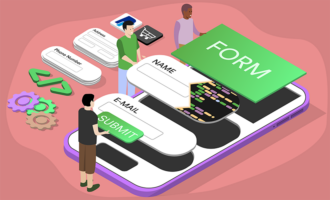
Jotform Apps is not a budgeting app. Instead, it’s a no-code tool that’s flexible enough to build any accounting or expense tracking app you want. This flexibility makes it one of the best ways to track expenses and check on your budget if you have special requirements and want a tool that precisely matches your ideal workflow. Take expense tracking, for example. Perhaps you want an easy way to log reimbursable or deductible expenses, complete with receipt photos and a spreadsheet export to easily send to your accountant, without needing to give an app access to your bank accounts and credit cards.
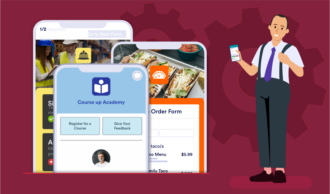
You can tell the Jotform AI App Builder exactly how you’d like your app to work and which features to include. Or you can start with Jotform’s personal budget, financial management, or accounting app, or other free app templates, and customize from there. Either way, the same Jotform form features will power your app, from camera tools to snap photos of receipts to dropdown menus to categorize expenses. And Jotform Tables stores your data, making it easy to sort, filter, or export for your accountant.
Jotform provides an ideal way to build a customized tool to handle finances the way you want alongside any other data-collection apps you need for your work.
Jotform Apps pricing
- Free for unlimited apps, five forms, and 100 monthly form submissions
- $39 per month or $34 per month, paid annually, for the Bronze plan with unlimited apps with 25 forms, 1,000 monthly submissions, and custom branding
4. Rocket Money

Best for: Figuring out where your money goes each month, for free
Why it made the list: Rocket Money makes it easy to identify subscriptions and recurring costs in your budget.
Rocket Money is designed to track your spending. Its graph, by default, shows how much you’ve spent this month rather than how much is in your accounts. It identifies all your subscriptions, and I especially liked that it highlights how much they cost you in total per year, which is often more striking than a $9.99 monthly charge that in isolation can seem negligible. And with its paid plans, Rocket Money offers services to cancel subscriptions and renegotiate phone bills and more to save money without needing to wait on hold.
Rocket Money is also one of the most affordable budgeting apps. It can sync your accounts, alert you when balances are too low, and find recurring bills and spending, all for free. The same company that owns the Redfin real estate company built the app, and users can find mortgage, loan, wholesale lending, and closing-focused services alongside its core Redfin and Rocket Money apps.
And if you’d like to put your savings away for later, it includes a built-in savings account where you can automatically sweep your extra cash to help you hit savings goals.
Rocket Money pricing
- Free to sync financial accounts, get balance alerts, and track subscriptions and spending
- Pay-what-you-want from $7 per month for the Premium plan, which includes subscription cancellation and bill negotiation assistant, automated savings plans, shared accounts, and more
5. Quicken Simplifi

Best for: Seeing what would happen if you made a major purchase
Why it made the list: Quicken Simplifi helps you see how much you can spend, after average current expenses, for better planning.
Quicken Simplifi is a newer, simpler way to manage your finances from the software vendor famous for its PC accounting software since the ’90s. Like other apps, it can sync transactions and categorize your spending automatically. Quicken then uses that data to help you answer questions about your financial future.
It forecasts by default how much money you’ll likely have over the near future based on standard income and expenses. Then it uses that data to calculate how much you could safely spend on something today based on your available cash and expected upcoming expenses. It also can help you monitor your investments, show if you’re on track with your retirement savings, and estimate how much you need to pay in quarterly taxes if employed.
Quicken Simplifi doesn’t offer a free plan, but its paid plans are more reasonably priced than most other budgeting apps.
Quicken Simplifi pricing
- $3.99 per month, paid annually, for full features
6. Copilot Money

Best for: An AI assistant to manage your money
Why it made the list: Copilot lets you chat with your budget for a quick way to check in on your spending.
Copilot Money does all of the things you’d expect from a budgeting app, from syncing and categorizing transactions to graphing your spending and net worth. It’ll show you at a glance how much money you have left to spend and whether you’re spending more or less than budgeted for this time in the month. It can also track your net worth, highlight if your portfolio isn’t sufficiently diversified, and track your home’s Zillow value.
Where it differs the most is its new AI assistant. It’ll highlight unexpected things like budgets you regularly go over or refunds that return money you previously marked as spent. And you can ask it questions for an easy way to quickly recategorize transactions, find leaks in your budget, and check how on-track you are for savings goals. You can do that in the app or from your favorite AI tool like ChatGPT or Claude with the Copilot Money Model Context Protocol (MCP) integration.
Copilot Money pricing
- $13 per month or $7.92 per month, paid annually, for full features
7. PocketGuard

Best for: Building detailed rules around your spending
Why it made the list: PocketGuard helps you budget for paying off debt and lets you build a budget that works the way you want.
PocketGuard shows, by default, how much money you have to spend right now after predicting what it’s learned from your standard spending habits. It highlights subscriptions and other recurring expenses, and it lets you budget with zero-based or envelope-style planning. In addition to helping you save, it’ll also help you calculate how much to pay on debt and predict when you’ll have things paid off.
But transaction rules were what stood out most to me. Rather than simply lumping all food expenses into the same bucket, for example, you could build specific rules that watch for smaller food purchases from specific shops on weekdays and log those against a lunch budget, while tracking dinners and weekend food spending into your entertainment budget. Or you could rename confusing purchases when a store shows up with a different name on your credit card statement. And the rules can work with both past and future transactions as a quick way to clean up your finances.
PocketGuard pricing
- Free for seven days
- $12.99 per month or $6.25 per month, paid annually, for full features
8. Lunch Money
Best for: Multicurrency budgeting
Why it made the list: Lunch Money is better for global budgeting, with multicurrency budgets and support for global financial institutions
Lunch Money excels at global budgeting. While so many expense tracking and budgeting tools target users in the United States, Lunch Money works everywhere. It can track your finances in multiple currencies for a quick way to see what you’ve spent and how much is in your accounts at today’s exchange rates. It can also connect to banks from the United States, Canada, Brazil, and Europe, or import other financial accounts from spreadsheet exports and with its developer API.
Once you import everything, you can get a quick look at your overall income, expenses, and savings rate, then drill down into spending categories. You can add rules to notify you about specific transactions or to split transactions between multiple budgets. And once you start a paid plan, Lunch Money locks in your price for life as a bit of a hedge against yet another subscription eating more of your budget over time.
Lunch Money pricing
- Free for 30 days
- $10 per month or from $5 per month for a pay-what-you-want annual subscription for full features
9. Origin

Best for: Spending and recurring expenses on a calendar
Why it made the list: Origin makes it easy to see when your money was spent, coupled with AI to provide insights into your finances.
Origin has one standout feature that alone might make it worth the subscription cost: It includes free state and federal tax filing, including self-employment and rental income, with an optional paid add-on if you’d like expert assistance. But its budgeting tools are worth keeping around the rest of the year, too.
Like other apps, it tracks your spending and categorizes it into budgets. The differences come with visualizations. The thing I liked most in Origin is its calendar, which lists how much you spent on each day of the week, along with icons for subscriptions to see when recurring charges will hit your account. It also pairs that with a chat AI feature to check if you’re overspending in any categories or how on track you are to meet your retirement goals. That, along with its summaries about your spending, net worth, and investment performance, make it a budgeting app you’ll want to check regularly.
Origin pricing
- $1 for first year
- $12.99 per month or $8.25 per month, paid annually, for full features, including tax filing
10. Tiller

Best for: Automatically adding transactions to a spreadsheet
Why it made the list: Tiller gives you simplified budgeting features with the flexibility of a spreadsheet.
Tiller is the ideal budgeting app if you want to deeply customize your accounting system, don’t want to learn yet another app, and also want to automatically pull in and categorize your expenses. Tiller operates directly within Google Sheets and Excel spreadsheets. It automatically syncs your financial details, similar to other apps, with custom rules around how to categorize and detail transactions. And it comes with a variety of spreadsheet templates to graph spending, view spending on a calendar, and burn down debt to zero.
Everything works right inside of your favorite spreadsheet app, so you can then build on that data as you like. You can add custom formulas and charts for quick back-of-envelope calculations. And if anything doesn’t work the way you want, you can tweak it with the same spreadsheet tools you already know how to use. It’s an especially good companion for a custom expense tracking Jotform app, which Jotform could sync to your spreadsheet alongside your auto-imported banking details from Tiller.
Tiller pricing
- Free for 30 days
- $8.25 per month, paid annually, for full features
How to choose the best spending tracker for your wallet
The best budgeting app is the one you’ll stick with and the one that works the way you want. For some, that means choosing the simplest budgeting app, one where you can set everything and forget it. For others, that means a fully customizable app that you can tweak to fit the way you think about money.
Here are some broad guidelines to think about when deciding which app to rely on to manage your money and track your spending.
Do you want at-a-glance finances or AI-powered answers?
The easiest way to keep track of your finances is with a dashboard that shows exactly where your money stands right now. Quicken Simplifi shows your net worth front and center, while Rocket Money shows how much you’ve spent so far, Monarch Money splits out a chart of where your income went, and Lunch Money tracks total spending across multiple currencies.
Or you could use AI to see if your savings are on track or highlight spending anomalies. Origin offers this with a built-in AI chatbot, while Copilot Money does the same with auto-generated alerts and an MCP server to tie your finances into ChatGPT or Claude.
Would you like to customize your finance tool or build a new one?
Building a custom financial tool is easier than ever now that you can use AI to create an app without coding. Jotform Apps lets you build a fully custom expense tracking app in minutes from an AI prompt to gather exactly the data you need without having to connect to your financial accounts. For more automation, Tiller can sync your financial data automatically into a Google Sheets or Excel spreadsheet, where you can customize formulas and graphs into the budgeting app you want.
But that doesn’t mean a custom-made app is best for everyone. For some, a set-it-and-leave-it app is the better approach. In that case, you’re better off with a premade app that includes just enough flexibility to work the way you want. Apps like PocketGuard or Lunch Money, with their detailed rules, let you tweak how your budgeting app works without needing to build something fully custom.
Do you want a flexible budget or a strict budgeting philosophy?
The hardest part of budgeting is deciding how much money you should spend on each thing, then sticking to it. YNAB (You Need a Budget) holds you accountable, as it has you set a plan for each dollar you earn before you spend it. It’s strict, but the structure can go a long way toward helping you achieve your spending goals.
For a bit more flexibility, PocketGuard and Quicken Simplifi let you know how much you’re safe to spend after estimating how much your routine expenses will use of the funds in your accounts. Or a custom Jotform app can track your cash spending, capture receipts, or fit into any budgeting philosophy you dream up.
Are you focused on growing wealth or paying down debt?
Different budgeting apps are better for different stages of life, too. If you have student loans and credit card balances you’re trying to pay off, you’ll want apps that help you see how your balances are going down. YNAB’s focus on giving each dollar a job can help you prioritize paying off debt, while PocketGuard’s debt payoff calculators show how long it’ll take to settle the balance.
Or, if you’re more focused on building your net worth, Monarch Money pulls everything together into a single view, including your brokerages and real estate value, for an at-a-glance look at your overall financial picture. Origin includes similar tools paired with an AI chatbot to dig into volatile investments or retirement savings goals.
The most important part about budgeting is consistency. Try the apps that sound closest to the way you think about money, take them for a spin, and see if they stick. If not, try another or give building your own budgeting and expense tracking app a shot. What matters most is finding an app that helps you feel like you’re on top of your finances and that you enjoy using. That way, you don’t end up dropping off and going back to a cloudy, uncertain understanding of where your money goes.
This article is for individuals, freelancers, and independent contractors who want to stop wondering where their money goes. They need a tool to categorize expenses, track receipts, monitor subscriptions, and build proactive budgets.


























Send Comment: