Features

Navigate Your Workflows with Precision

No matter how complex your process gets, you can navigate your workflow with precision using intuitive zoom and navigation controls to quickly locate any part of it.

Learn More

Auto Layout

Keep your workflow canvas clean and readable with a single click. Auto Layout instantly arranges all your elements, so you don’t waste time moving boxes around.

Learn More

Download Flow as Image

Easily share your workflow designs with stakeholders using the Download Flow as Image feature. With just a click, you can export your entire workflow as a high-quality PNG file.

Learn More

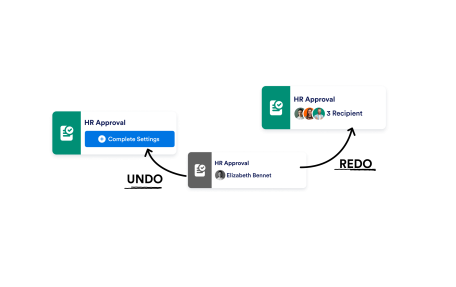
Undo / Redo Actions

Work without worry. Undo or redo any action in your workflow builder to recover past changes, test new ideas, or simply fix mistakes instantly.

Learn More

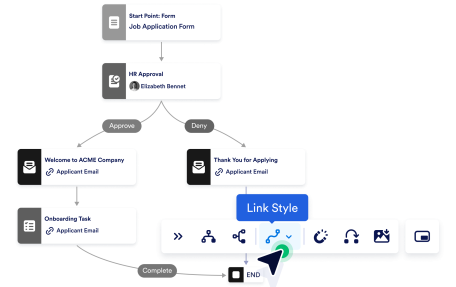
Link Style Options

Quickly switch between Smoothstep, Bezier, or Straight styles based on your design preferences or the complexity of your workflow.

Learn More

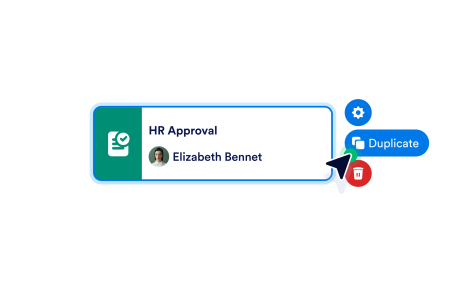
Delete or Duplicate

In Jotform Workflows, you can easily delete any element you no longer need or duplicate a configured element to reuse its settings saving time and minimizing repetitive setup.

Learn More

Minimap

As your workflows grow, the minimap gives you a compact overview so you can navigate complex flows with ease.

Learn More

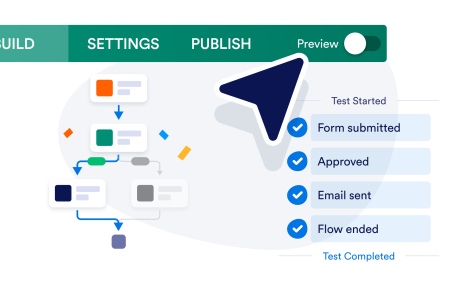
Preview

Preview your workflow in action, follow each step as it runs, and make sure every block behaves exactly as expected before you turn it on.

Learn More