Web Siteleri için Ücretsiz İş Widget'ları
Jotform'un basit kod gerektirmeyen oluşturucusuyla iş widget'ları kullanarak markanızı büyütün ve müşterilerinizle etkileşim kurun.
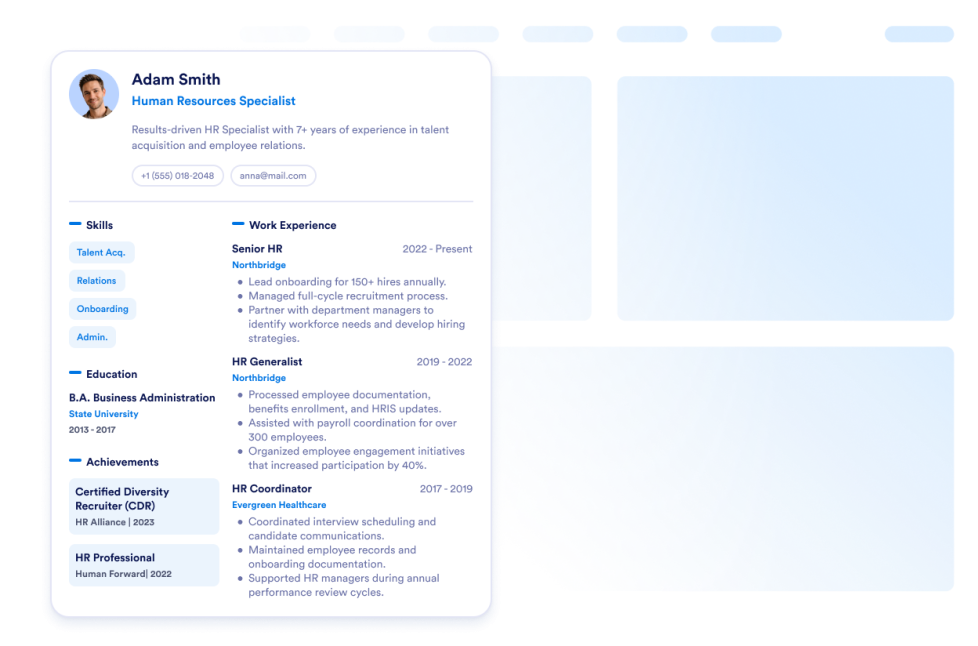
Özgeçmiş
Öz geçmişinizi web sitenize ekleyin. Jotform'un Öz Geçmiş Widget'ı ile web sitenizi ziyaret edenlerin sizinle ilgili her şeyi kolayca öğrenmesini sağlayabilirsiniz.
Kategoriye git:İşWidget'ı KullanGoogle Maps
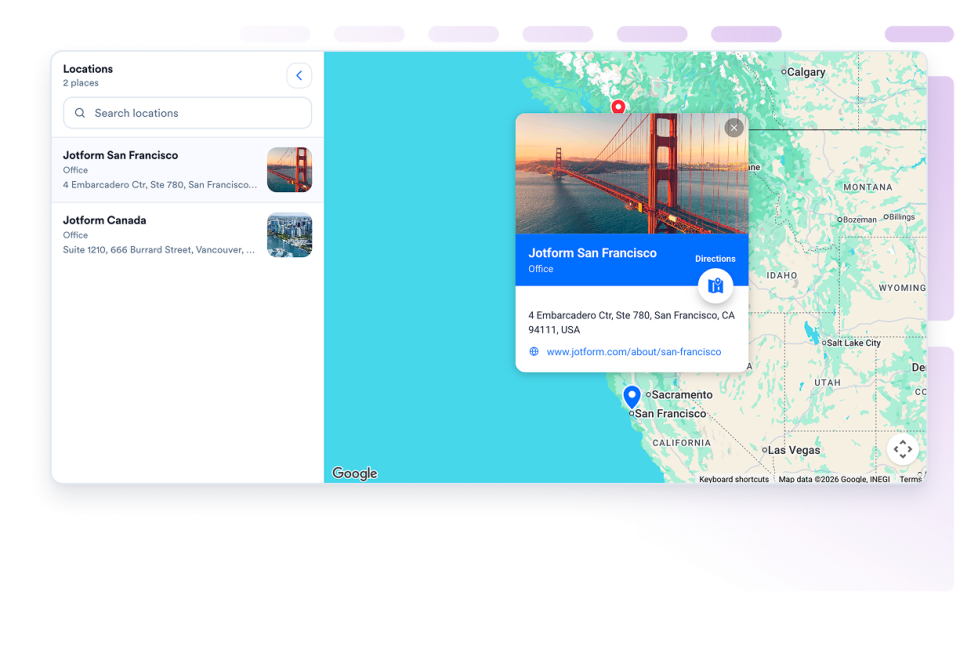
Özelleştirilebilir bir Google Haritalar widget'ıyla web sitesine harita ekleme işlemini kolaylaştırın; mağazalarınızı, ofislerinizi, etkinlik mekanlarınızı veya hizmet alanlarınızı iletişim bilgileri, çalışma saatleri, fotoğraflar, kategoriler ve yol tarifi bağlantılarıyla gösterin.
Kategoriye git:İşWidget'ı KullanEkip Vitrini
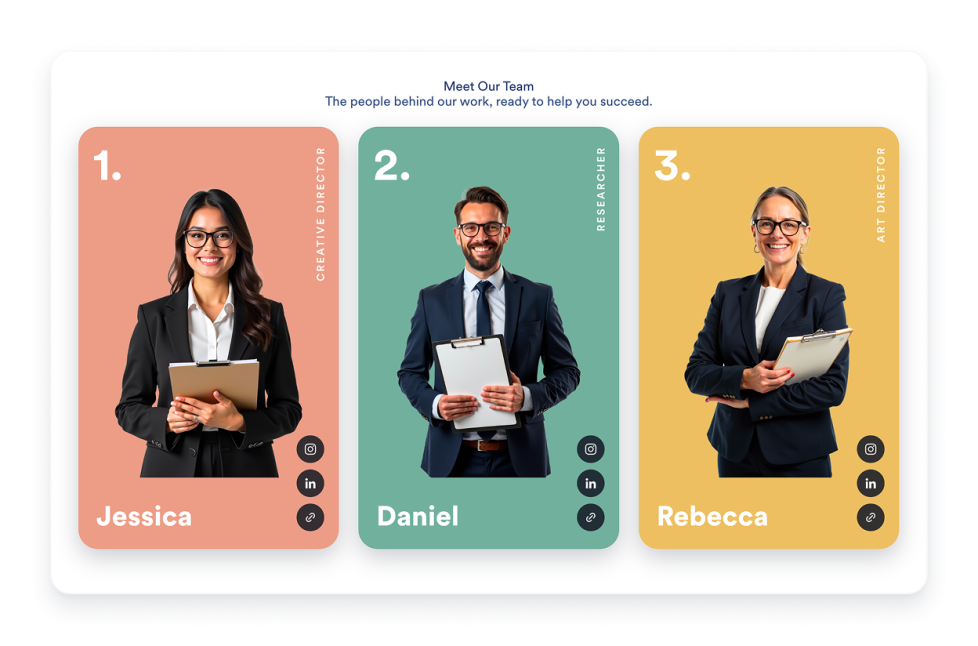
Profil kartları, şablon düzenleri, üye biyografileri, sosyal bağlantılar, renk şemaları ve duyarlı yerleştirmelerle web siteniz için bir Ekip Tanıtımı widget'ı oluşturun.
Kategoriye git:İşWidget'ı Kullanİş İlanı Panosu
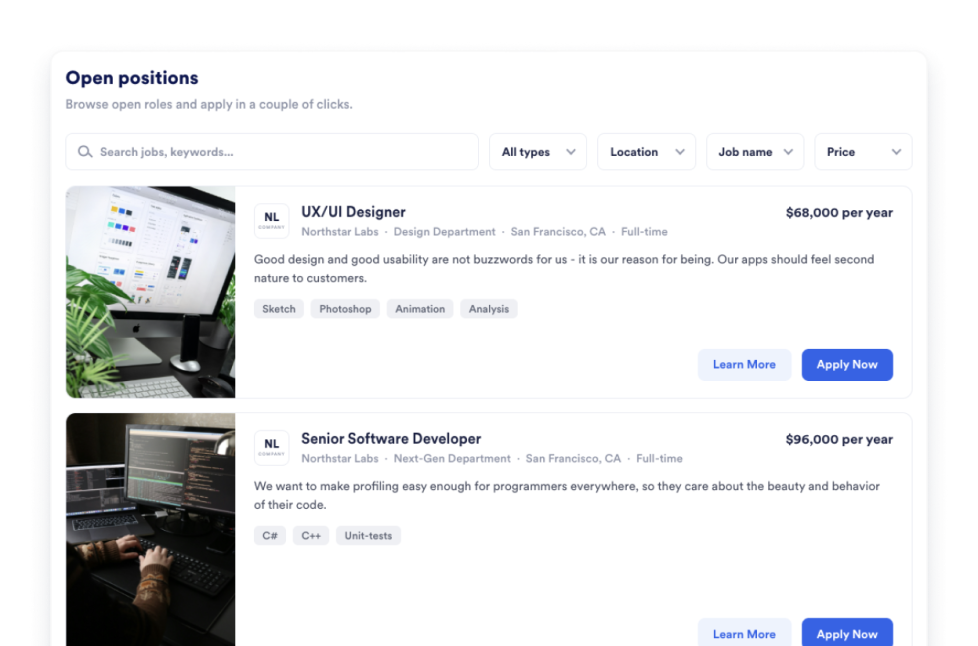
Web sitenize saniyeler içinde bir iş ilanı panosu ekleyin. Tasarımı ve içeriği özelleştirin, ardından Jotform'un kod gerektirmeyen web sitesi widget oluşturucusuyla widget'ı yerleştirin.
Kategoriye git:İşWidget'ı KullanPortföy
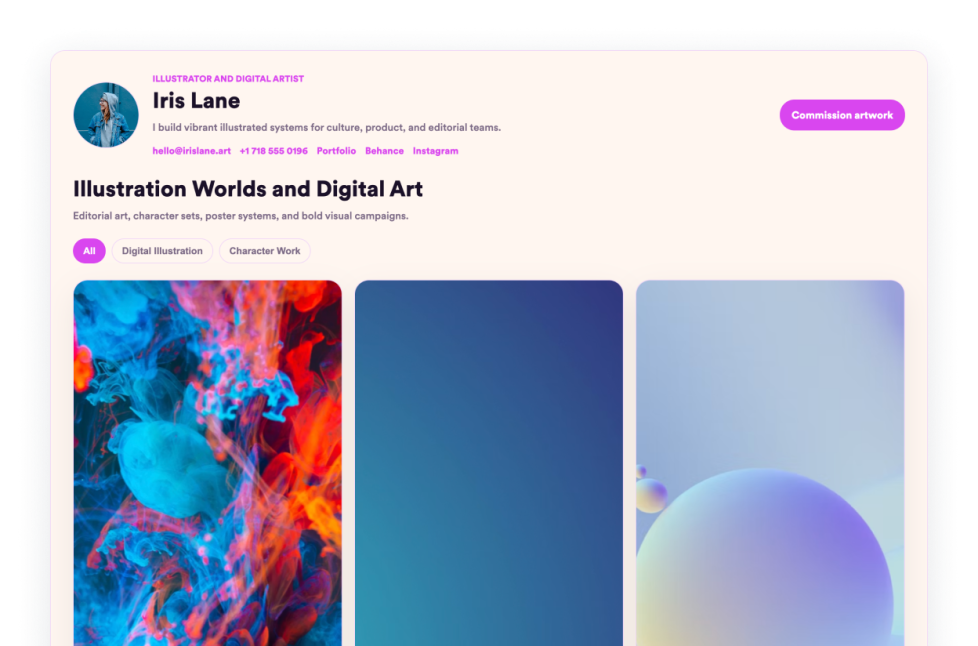
Jotform'un Portfolyo Widget'ı ile en iyi çalışmalarınızı sergileyin. Etkileyici bir portfolyo hazırlama galerisi oluşturun, projeleri öne çıkarın ve kod yazmadan herhangi bir web sitesine yerleştirin.
Kategoriye git:İşWidget'ı KullanRestoran Menüsü
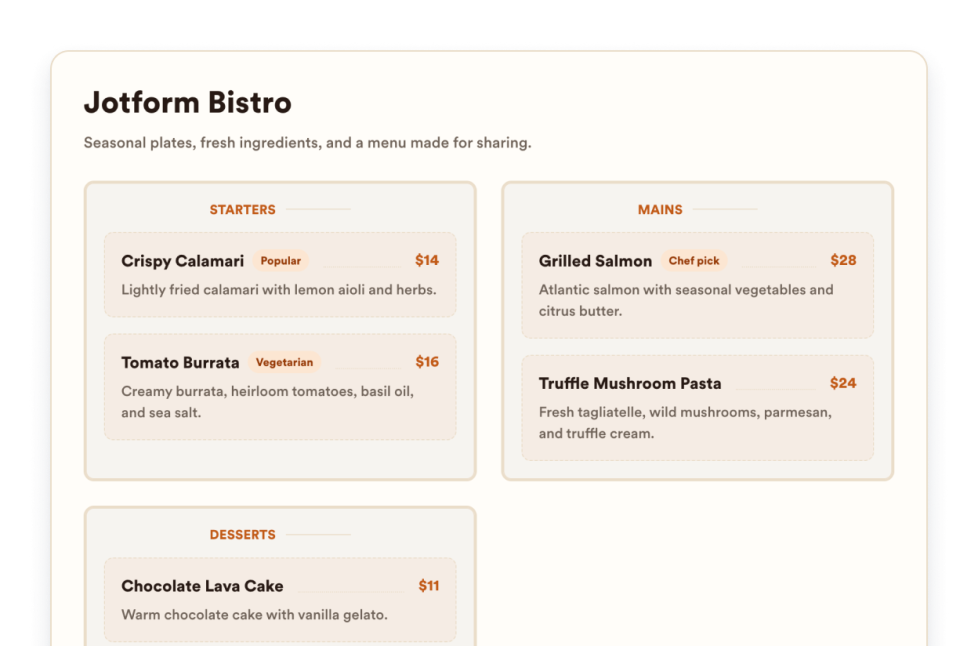
Düzenlenebilir kategoriler, öğe açıklamaları, fiyatlar, rozetler, düzenler, temalar ve rezervasyon bağlantıları ile web sitenize duyarlı bir menü widget'ı ekleyin.
Kategoriye git:İşWidget'ı KullanHakkımızda
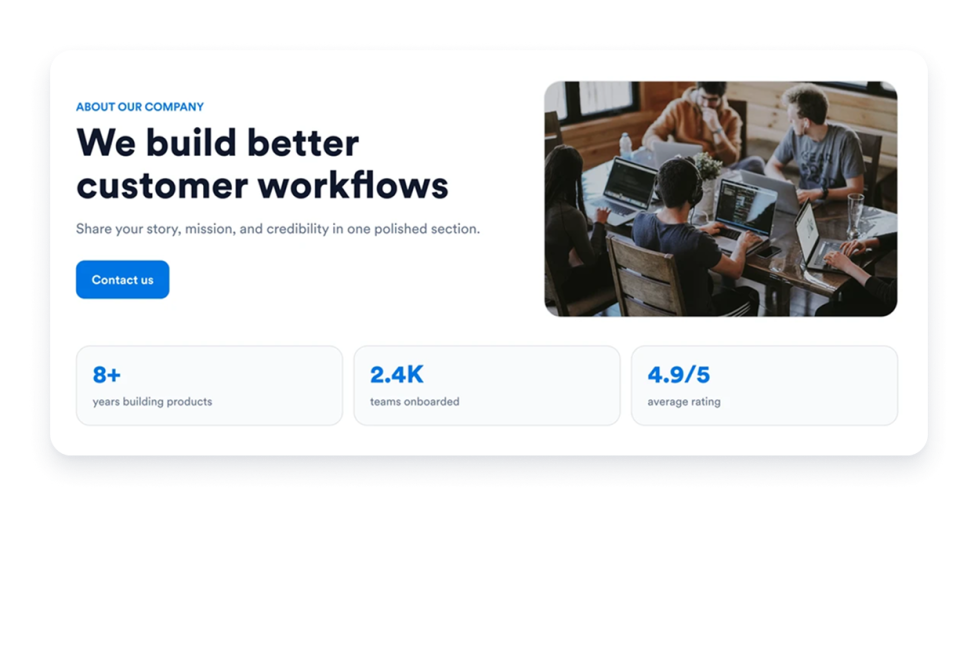
Web sitenize Hakkımızda Widget'ı ekleyerek şirketinizin hikayesini, misyonunu, değerlerini, ekip üyelerini ve marka kimliğini profesyonel ve özelleştirilebilir bir tasarımla sergileyin.
Kategoriye git:İşWidget'ı KullanAçılış Kapanış Saatleri
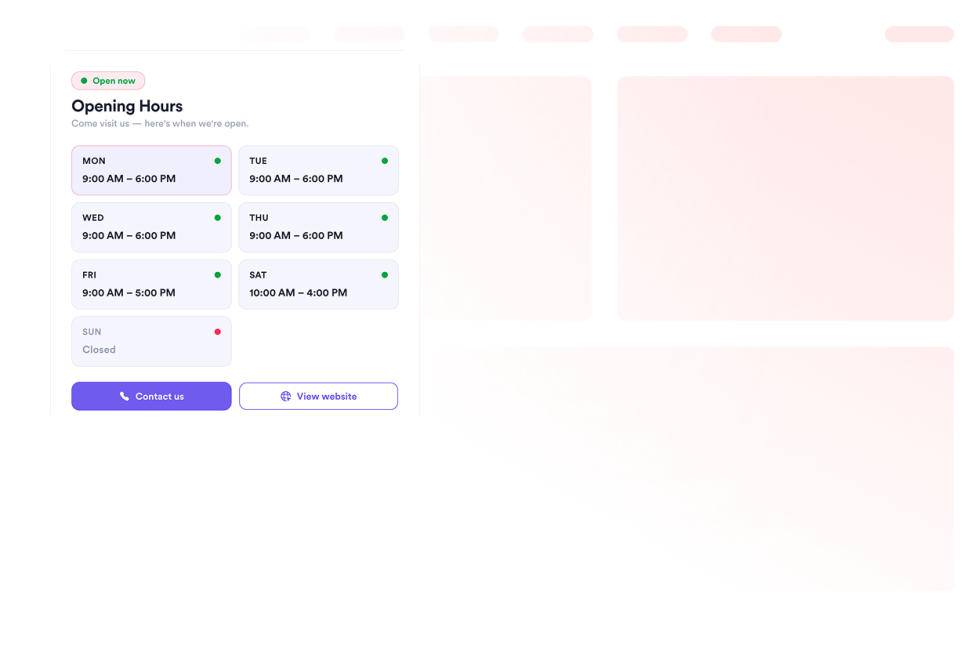
Web sitenize şablonları, renk şemalarını, çalışma saatlerini, anlık durumu, iletişim bilgilerini, konumu ve harekete geçirici mesaj butonlarını göstermek için bir Açılış Kapanış Saatleri widget'ı ekleyin.
Kategoriye git:İşWidget'ı KullanOpen Street Map
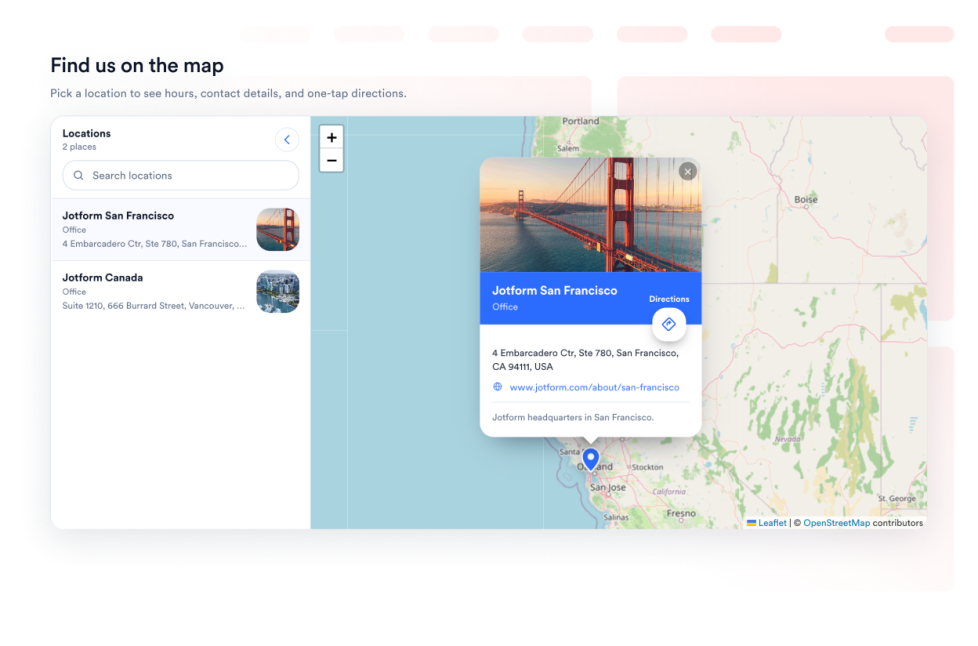
Ziyaretçilerinize, web sayfanızda etkileşimli bir OpenStreetMap konum bulucu sunun. Listelenen konumları özelleştirin ve her yeri OpenStreetMap yol tariflerine bağlayın.
Kategoriye git:İşWidget'ı KullanTarifler
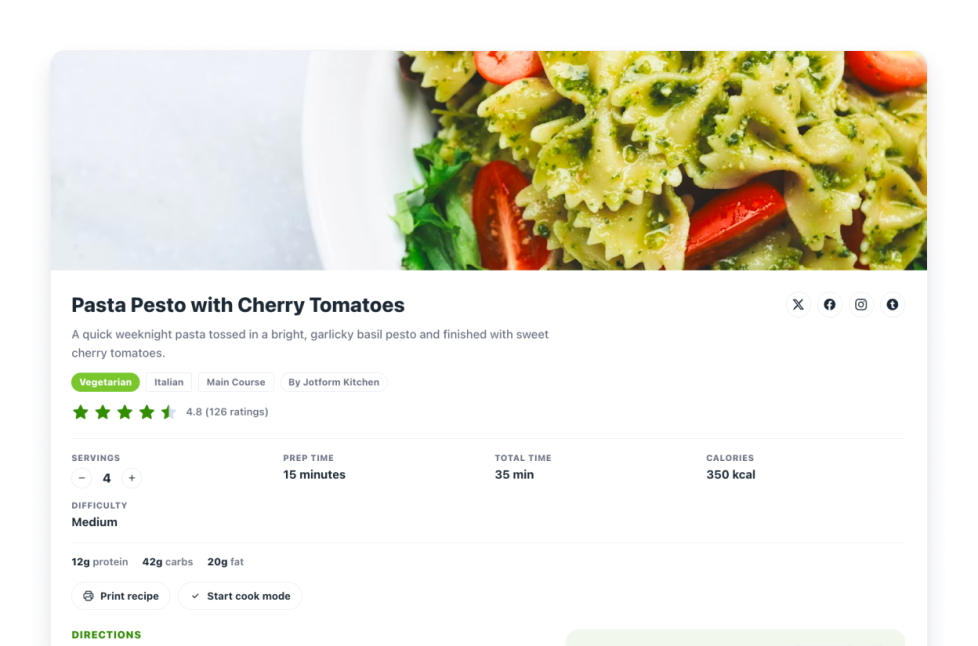
Web sitenize bir Tarif Widget'ı ekleyin. Görseller, malzemeler, talimatlar, besin değerleri, süre, yazdırma, paylaşım ve şema kontrolleriyle tarif kartı paylaşın.
Kategoriye git:İşWidget'ı KullanReal Estate Location Map
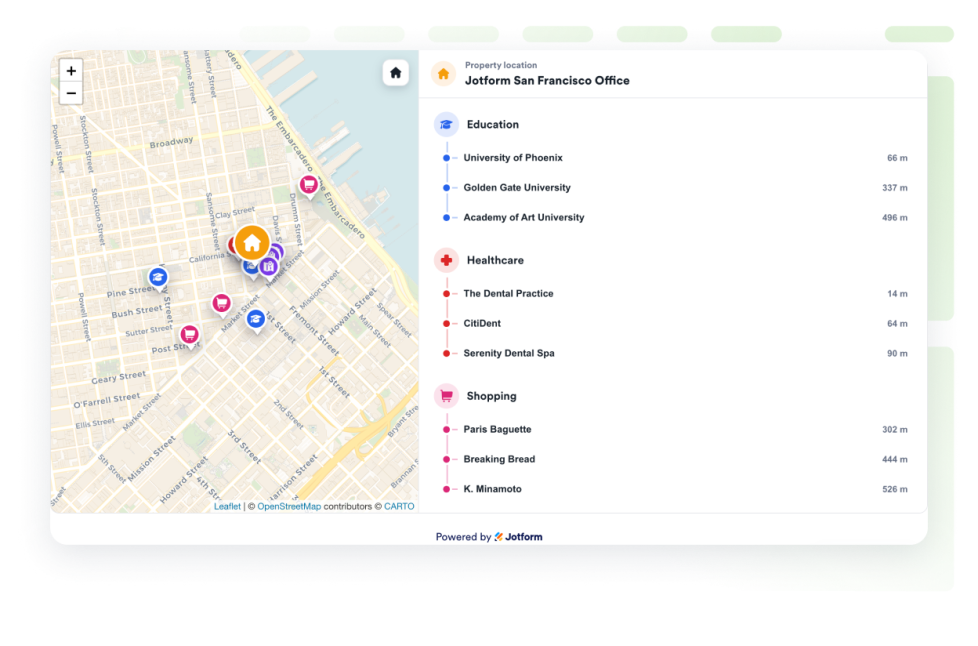
OpenStreetMap, mesafe etiketleri ve yakındaki eğitim, sağlık, ulaşım, park ve mağazalarla tek bir mülkü göstermek için bir emlak haritası ekleyin.
Kategoriye git:İşWidget'ı KullanSonuç Bulunamadı
No results match your search. Please try another keyword.
About Business Widgets
Business widgets help companies present important information and useful resources directly on their websites without custom code. These embeddable widgets can introduce a team, display business hours and locations, share services or work samples, publish job openings, and provide visitors with practical business details.
With Jotform’s business widgets, you can create restaurant menus, team showcases, portfolios, business hours displays, location maps, job boards, About Us sections, resumes, and recipe cards. They can be added to business websites, service pages, contact pages, restaurant websites, real estate listings, career pages, portfolios, and local business landing pages.
What can you do with business widgets?
Business widgets can help you:
- Display menu categories, item descriptions, prices, and reservation links with a Restaurant Menu widget
- Introduce employees using team profiles, photos, roles, biographies, and social links
- Present projects and work samples in a Portfolio widget
- Show opening hours, contact details, location information, and current business status
- Help visitors find stores, offices, venues, or service areas with Google Maps or OpenStreetMap
- Publish available positions on an embeddable Job Board
- Share your company’s history, mission, values, and team in an About Us section
- Add a professional resume to a personal or business website
- Display recipes with ingredients, instructions, images, nutrition details, and preparation times
- Show real estate locations and nearby schools, transportation, parks, stores, or healthcare services
Popular business widget use cases
Business widgets can support many types of companies and independent professionals. Restaurants can use a Restaurant Menu widget to present food and drink categories, prices, descriptions, and reservation links. Local businesses can add a Business Hours widget and an interactive map so customers can check opening times, contact the business, and find directions.
Agencies, freelancers, photographers, designers, and consultants can use a Portfolio widget to display completed projects. Companies can add a Team Showcase or About Us widget to help visitors learn about their employees, background, mission, and values.
Recruiters and growing businesses can publish available roles with a Job Board widget. Real estate professionals can use a Real Estate Location Map to show a property and nearby services, while businesses with multiple locations can display offices, stores, or service areas using a map widget.
Easy website widgets for any team
Embeddable business widgets are useful for small businesses, restaurants, agencies, freelancers, real estate professionals, recruiters, local service providers, creators, and growing teams that want to share useful information without relying on a developer or designer.
With Jotform, users can select a widget, customize the content, settings, layout, and design, preview how it will appear, and copy the embed code. They can then add the widget to a supported website editor or HTML section without custom code.
This gives business owners and team members a practical way to update their website with company information, team profiles, operating hours, locations, job listings, and other visitor resources.
İlgili kılavuzlar
To learn more about setting up and managing widgets, users can read Jotform’s guide on managing website widgets. The guide explains that users can create new widgets, edit existing widgets, copy embed codes, control widget visibility, and organize their widget assets from the My Website Widgets page.
Business Widgets FAQ
What are business widgets?
Business widgets are embeddable website tools that help companies display information and resources for customers, applicants, and other visitors. They can include menus, business hours, maps, team profiles, portfolios, job boards, company information, and resumes.
What types of businesses can use business widgets?
Business widgets can be used by restaurants, local businesses, agencies, freelancers, real estate companies, professional service providers, recruiters, creators, and organizations with multiple locations. The best widget depends on what information visitors need from the business.
Where should I add business widgets?
You can add business widgets to homepages, About Us pages, contact pages, service pages, career pages, property listings, restaurant pages, and portfolio pages. Place each widget close to the related information or action so visitors can find it easily.
Do business widgets require coding?
No. You do not need a developer or designer. You can customize the widget, copy the embed code, and add it to your website without custom code. The exact embedding steps depend on the website platform or page editor you use.


